主题
三级路由与优化路由(Lesson25 2/3)
本页对应 Lesson25,共 6 段视频,约 1 小时 18 分。
学习目标
- 能够使用自定义渲染函数优化路由配置,抽离重复的组件渲染逻辑,并通过参数传递正确渲染不同组件。
- 能够为三级路由配置动态参数,在模板中通过
$route、在<script>中通过useRoute获取参数,并完成详情数据渲染。 - 能够使用编程式导航完成页面跳转、前进后退及带参数跳转,并在组件方法中正确调用
router.push、router.go等方法。 - 能够使用
getRoutes、hasRoute、addRoute、removeRoute动态查询、判断、添加和删除路由,并正确处理二级、三级路由的添加时机与参数。 - 能够说明 Pinia 的定位、与 Vuex 的主要区别,以及选项式与组合式两种 store 写法,并独立创建 store 定义 state 和 actions。
- 能够完成 Pinia 安装、在
main.ts中注册、创建 store 目录与入口文件,并在组件中读取状态、调用 action 验证状态更新。
知识点
三级路由要解决什么问题
为什么需要:消息列表 /home/message 展示多条消息,点某一条要进入详情。详情不是一级页面,也不是二级列表本身,而是列表下的“某一条”,所以 URL 设计成 /home/message/:filmId,用 filmId 表示具体消息。这样刷新页面也能直达详情,参数也在地址栏里。
怎么想:先把详情页当成普通组件建出来,再把它注册成 Message 的子路由;父级 Message/index.vue 里要有 <router-view /> 承载三级页面;最后列表项跳转时把 filmId 拼进地址,详情页再接收参数。
怎么做:先建 src/pages/Home/Message/Detail/index.vue:
vue
<template>
    <h3>Detail</h3>
</template>

<script lang="ts" setup>

</script>

<style scoped>

</style>易错点:只建组件不配路由,详情不会出现;只配 children 但父组件没有 <router-view />,三级页面也不会渲染。转写稿里说的“在这个基础上加上一个内容”,实际就是要在 Message/index.vue 中给子路由留出口。
在二级路由下配置 children
为什么需要:三级路由必须挂在二级路由的 children 里,否则 /home/message/:filmId 和 /home/message 没有父子关系,父级布局和子级详情无法配合。
怎么想:/home/message 已经指向 Message/index.vue,它的 children 里再放一条 path: "/home/message/:filmId",组件指向 Detail/index.vue。笔记里用的是绝对路径写法,能匹配;更常见的写法是 path: ":filmId"。
怎么做:在 src/router/index.ts 中配置:
ts
		{
            path:"/home/message",
            component:()=>import("@/pages/Home/Message/index.vue"),
            children:[
                {
                    path:"/home/message/:filmId",
                    component:()=>import("@/pages/Home/Message/Detail/index.vue")
                }
            ]
}易错点:children 拼写、组件路径大小写、index.vue 文件名要一致;参数名 filmId 前后必须一致,不能列表写 id、详情取 filmId。如果改成相对路径,不要写成 "/:filmId",否则地址层级会变。
列表页跳转要带上 filmId
为什么需要:详情页要知道“看哪一条”,所以跳转地址必须带参数。转写稿里把原来的 a 标签改成 router-link,把 to 改成路径拼接,本质就是让地址变成 /home/message/1、/home/message/2。
怎么想:可以用声明式导航 router-link,也可以编程式导航 router.push。声明式写法适合列表项;编程式适合在点击事件里先做判断再跳。
怎么做:列表项写成类似 :to="`/home/message/${filmId}`" 的形式。若用编程式导航,则先 import { useRouter } from "vue-router",const router = useRouter(),再 router.push(`/home/message/${filmId}`)。
易错点:to 前不要漏冒号,否则会当成普通字符串;路径拼接不要多斜杠;编程式导航用 useRouter,取当前路由参数用 useRoute,两者不要混。转写稿里口误的“费用ID/目ID”统一指 filmId。
详情页接收参数:模板与 setup 的差别
为什么需要:地址里有 filmId,详情页要取出来发请求或渲染。Vue3 的 <script setup> 中不能像模板那样直接写 $route,这是转写稿里重点调试的地方。
怎么想:模板里可以直接用 $route.params.filmId;<script setup> 里推荐用 useRoute()。转写稿里说的“do root”就是 $route,“you root”就是 useRoute。
怎么做:模板中可写 {{ $route.params.filmId }}。脚本中写:
ts
import { useRoute } from "vue-router"
const route = useRoute()
console.log(route.params.filmId)易错点:在 setup 里直接写 $route 会拿不到;不要用 route.query.filmId,这里参数在 params;useRoute 拼写和导入来源要正确。转写稿中还试过 router.currentRoute.value.params.filmId,能取到但类型和写法更绕,日常优先 useRoute()。
调试:组件复用导致详情不更新
为什么需要:从“孤注一掷”切到“学霸”,URL 的 filmId 变了,但详情组件可能被复用,onMounted 只执行一次,所以页面不刷新。转写稿里点击不同条目发现请求不再发,就是这个问题。
怎么想:监听 route.params.filmId 的变化,变化时重新取详情;并且首次进入也要执行,所以加 immediate: true。
怎么做:用 watch 监听:
ts
import { watch } from "vue"
import { useRoute } from "vue-router"
const route = useRoute()

watch(
  () => route.params.filmId,
  (filmId) => {
    // 根据 filmId 重新请求详情
  },
  { immediate: true }
)易错点:不要写成 watch(route.params.filmId, ...),要写成函数形式;不加 immediate 首次进入不会执行;如果只在 onMounted 里请求,切换同组件不同参数时不会再次触发。转写稿的调试顺序是:先看地址是否变成 /home/message/1,再在模板打印参数,再在 setup 中改用 useRoute(),最后加 watch 解决切换不更新。
为什么要优化路由配置
为什么需要:原来的路由表里,每个页面都手写一次 () => import("@/pages/.../index.vue"),页面一多就重复、难维护,路径写错也不容易发现。
怎么想:这些动态导入的格式完全一样,只是页面名不同,可以把“页面名 → 动态导入函数”抽成一个工厂函数。
怎么做:定义 renderCom(name),内部拼接 @/pages/ + name + /index.vue,返回动态导入函数。
易错点:name 的大小写、层级路径要和使用目录一致;renderCom 返回的是函数,不能写成已经执行的结果。
抽出 renderCom 统一懒加载
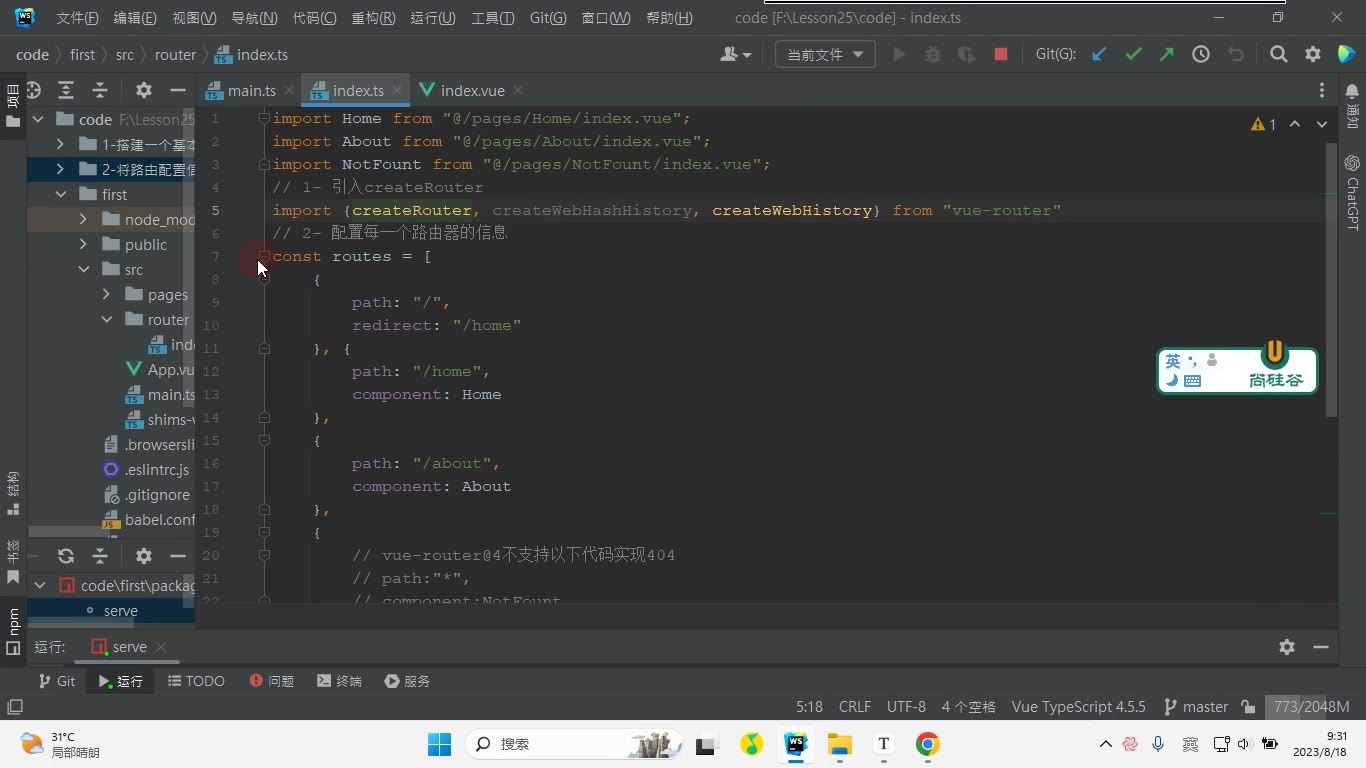
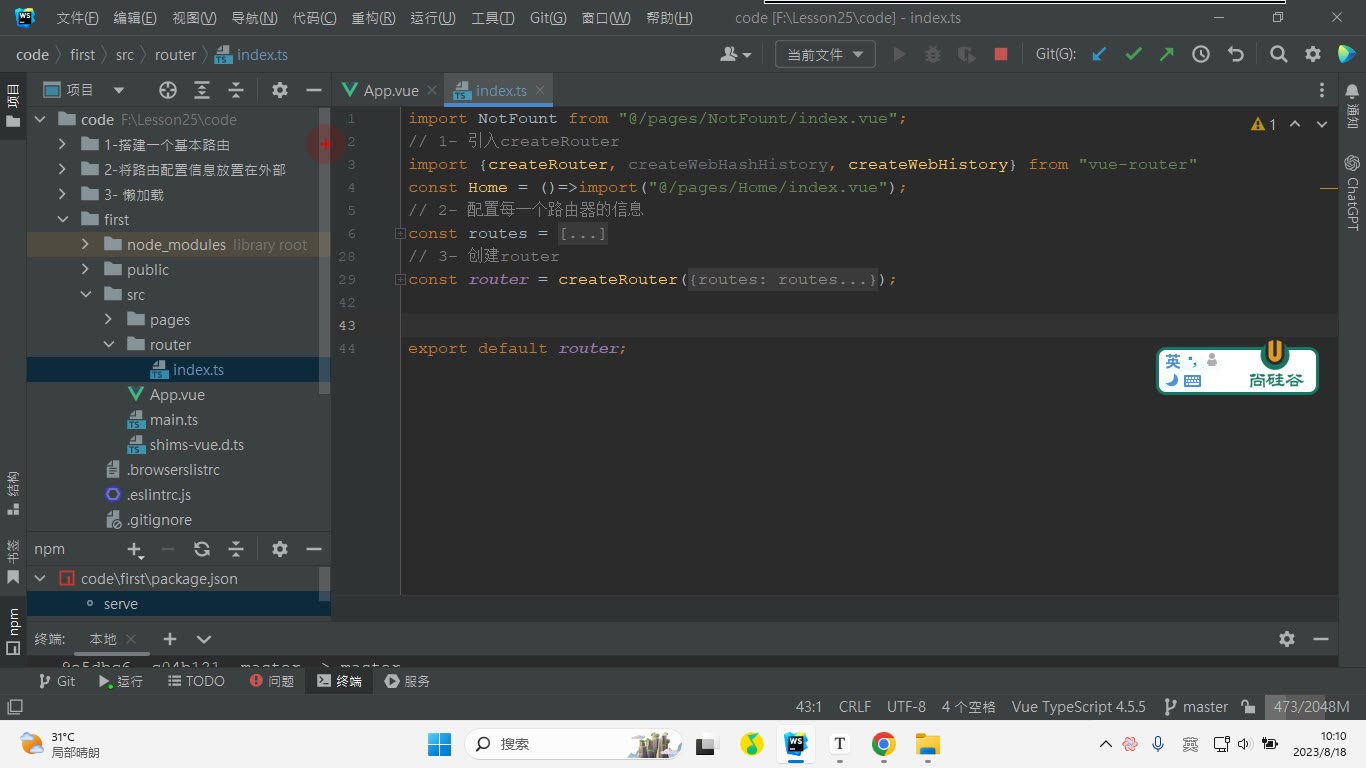
转写稿里讲师先删掉原来零散的 import 写法,改成自定义 renderCom:传什么名字,就渲染哪个组件。这样 Home、About、NotFount 以及子路由都能统一写法。
为什么需要:减少重复代码,后续新增页面只传名字。
怎么想:把“拼接路径 + 动态 import”封装起来,路由表只关心页面名。
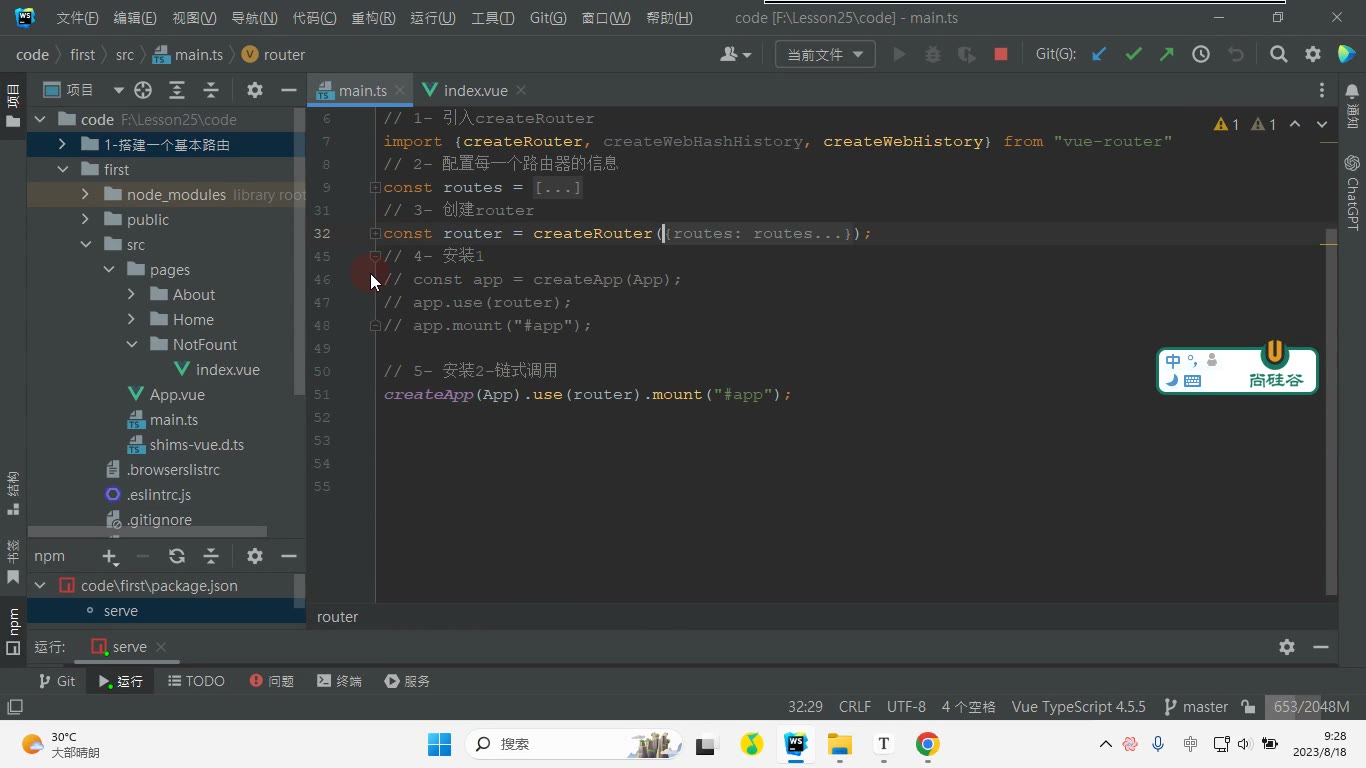
怎么做:在 src/router/index.ts 中写:
ts
import NotFount from "@/pages/NotFount/index.vue";
// 1- 引入createRouter
import {createRouter, createWebHashHistory, createWebHistory} from "vue-router"
// 2- 配置每一个路由器的信息
const renderCom = function(name:string){
    return ()=>import("@/pages/"+name+"/index.vue");
}
const routes = [
    {
        path: "/",
        redirect: "/home"
    }, {
        path: "/home",
        component: renderCom("Home"),
        children:[
            {
                path:"/home",
                component:renderCom("Home/NewsList")
            },
            {
                path:"/home/message",
                component:renderCom("Home/Message"),
                children:[
                    {
                        path:"/home/message/:filmId",
                        component:renderCom("Home/Message/Detail")
                    }
                ]
            }
        ]
    },
    {
        path: "/about",
        component:renderCom("About")
    },
    {
        // vue-router@4不支持以下代码实现404
        // path:"*",
        // component:NotFount

        // 需要借助params形式实结合正则实现404
        path: "/:pathMath(.*)",
        component:renderCom("NotFount")
    }
]
// 3- 创建router
const router = createRouter({
    // 相当于Vue2当中的mode:"history"
    history: createWebHistory(),
    // 相当于Vue2当中的mode:"hash"
    // history:createWebHashHistory(),
    routes,
    // linkExactActiveClass:"active",
    // linkActiveClass:"active",
    scrollBehavior() {
        return {
            left: 0,// 相当于之前的x
            top: 0// 相当于之前的y
        }
    }
});

// console.log("router",router);
export default router;易错点:renderCom("Home/NewsList") 这种层级名要和真实目录对应;不要漏掉 return;component 接收的是函数,不是字符串。
改造各级路由并验证
为什么需要:只改顶层不够,Home 下的 NewsList、Message、Message/Detail 也要统一。
怎么想:按目录层级把名字传进去:Home、Home/NewsList、Home/Message、Home/Message/Detail。
怎么做:按上面代码替换各级 component。改完后在浏览器依次点击 home、about,再刷新三级路由页面验证。转写稿中三级路由出问题时,讲师检查发现路径里多写了斜杠,去掉后恢复。
易错点:三级路由 path 不要多写 /;子路由路径要能与父级拼接;刷新后异常先看控制台和路径。
404、history 与滚动行为
为什么需要:vue-router@4 不再用 path:"*" 做 404,需要 params 加正则兜底。
怎么想:用 /:pathMath(.*) 匹配未命中的地址,再渲染 NotFount。
怎么做:保留笔记中的写法;history 用 createWebHistory() 对应 history 模式,用 createWebHashHistory() 对应 hash 模式;scrollBehavior 返回 { left:0, top:0 } 实现切换后回到顶部。
易错点:NotFount 是笔记中的拼写,保持一致;404 路由通常放最后;scrollBehavior 返回的是坐标对象,不是直接写 window.scrollTo。
三级路由要解决什么问题
这一节的目标是:在 Home -> Message 列表页点击某部电影,进入 Message 下面的详情子路由,并把电影 filmId 通过地址栏参数传给详情页。也就是说,三级路由不仅要把页面渲染出来,还要把“点的是哪部电影”带过去。
为什么需要这样做?因为详情页不能写死数据,它必须知道当前 URL 里的 filmId,再根据这个 ID 请求接口。怎么想?列表页负责生成带参数的链接,详情页负责接收参数并请求数据。怎么做?先在 Message/index.vue 中用 router-link 拼出 /home/message/电影ID,并保留 <router-view> 作为子路由出口。
vue
<template>
<ul>
<li v-for="item in state.films" :key="item.filmId">
<router-link :to="{
path:'/home/message/'+item.filmId
}">{{item.name}}</router-link>
<button>push</button>
<button>replace</button>
</li>
</ul>
<button>前进</button>
<button>后退</button>
<hr/>
<router-view></router-view>
</template>易错点:router-link 的 to 如果写成普通字符串,就不能动态拼接;这里用对象形式 path:'/home/message/'+item.filmId。另外,Message 页面里的 <router-view> 不能漏,否则详情组件没有渲染位置。
模板里能用 $route,script setup 里不能直接用
详情页模板中可以直接写 $route.params.filmId,但转写稿里调试时发现:在 script setup 中直接写 $route 拿不到,因为组合式 API 没有 this,不能像选项式那样通过实例访问。这里要区分两个东西:useRouter() 得到的是路由器实例,useRoute() 得到的是当前路由信息对象。
方案一:直接引入 router 实例,通过 currentRoute.value.params 取参数。方案二:useRouter() 得到的实例和引入的 router 是同一个,再访问 currentRoute.value.params。方案三最常用:useRoute() 直接拿当前路由对象,再取 params.filmId。
ts
// 方案一
// import $router from "@/router";
// console.log($router.currentRoute.value.params.filmId);

// 方案二
// import {useRouter} from "vue-router";
// import router from "@/router"
// const $router = useRouter();
// console.log($router===router);// true
// console.log($router.currentRoute.value.params.filmId)

// 方案三
// import {useRoute} from "vue-router";
// const $route = useRoute();
// console.log($route.params.filmId)易错点:useRouter 不是 useRoute;currentRoute 是 ref,要取 .value;参数名必须和路由配置里的 :filmId 一致。
详情页请求数据与监听参数变化
详情页拿到 filmId 后要请求电影详情。转写稿里先尝试在 onMounted 里请求,但发现:从一部电影切到另一部电影时,组件被复用,onMounted 不会再次执行,所以页面不会重新请求。解决方式有两种:一是 onBeforeRouteUpdate 里拿到 to.params.filmId 再请求,并调用 next();二是用 watch 监听 $route.params.filmId,并加 immediate:true,首次进入也执行。
vue
<template>
    <h3>{{state.film.name}}</h3>
    <p>{{state.film.synopsis}}</p>
</template>

<script lang="ts" setup>
// 1- 在模板中可以直接使用$route
// 2- 在script标签中无法使用$route,如何解决?
// 方案一
// import $router from "@/router";
// console.log($router.currentRoute.value.params.filmId);

// 方案二
// import {useRouter} from "vue-router";
// import router from "@/router"
// const $router = useRouter();
// console.log($router===router);// true
// console.log($router.currentRoute.value.params.filmId)

// 方案三
// import {useRoute} from "vue-router";
// const $route = useRoute();
// console.log($route.params.filmId)

import {onMounted, reactive, watch} from "vue";
import {onBeforeRouteUpdate, useRoute} from "vue-router";
import axios from "axios";
const $route = useRoute();
const state = reactive({
    film:{}
})
// 获取数据方案一
// const getway = async function(filmId:string){
//     const {data:{data:{film}}} =await axios.get("https://m.maizuo.com/gateway?filmId="+filmId+"&k=7345366",{
//         headers:{
//             "X-Client-Info":'{"a":"3000","ch":"1002","v":"5.2.1","e":"16923264631851757969801217","bc":"310100"}',
//             "X-Host":"mall.film-ticket.film.info"
//         }
//     })
//     state.film = film;
// }
// onBeforeRouteUpdate(async function(to,from,next){
//     await getway(to.params.filmId as string)
//     next();
// })
// onMounted(function(){
//     getway($route.params.filmId as string)
// })

// 获取数据方案二- watch
watch(()=>$route.params.filmId,async (filmId)=>{
    const {data:{data:{film}}} =await axios.get("https://m.maizuo.com/gateway?filmId="+filmId+"&k=7345366",{
        headers:{
            "X-Client-Info":'{"a":"3000","ch":"1002","v":"5.2.1","e":"16923264631851757969801217","bc":"310100"}',
            "X-Host":"mall.film-ticket.film.info"
        }
    })
    state.film = film;
},{
    immediate:true
})
</script>

<style scoped>

</style>易错点:watch 要监听 ()=>$route.params.filmId,不是直接监听 $route;immediate:true 保证首次进入就请求;接口解构层级是 data.data.film;filmId 从路由里来通常是字符串,必要时用 as string。验证方式:从列表依次点击不同电影,详情标题和简介都应更新;直接刷新详情页,也应能通过 immediate 首次请求到数据。
从声明式导航到编程式导航
为什么需要:router-link 适合“用户点链接就跳转”的场景;但实际开发中经常要在按钮点击、表单提交、条件判断后跳转,这时不能只靠模板里的链接,需要“用代码触发路由跳转”,也就是编程式导航。
怎么想:声明式导航是“写一个链接让用户点”;编程式导航是“在事件函数里调用路由器的方法”。二者最终都在改地址,只是触发方式不同。
怎么做:先拿到路由器实例,再调用 push、replace、back、forward 等方法。
易错点:不要把“路由器实例”和“当前路由信息”混为一谈;模板里能直接写 $router,但 <script setup> 里不能想当然直接用。
模板中的 $router 与脚本中的 useRouter
为什么需要:笔记代码里模板按钮写了 $router.replace(...),而脚本里又写了 const $router = useRouter()。要理解两者来源不同。
怎么想:Vue Router 会把路由器实例挂到模板可访问的全局属性上,所以模板中可以直接用 $router;但在 <script setup> 中,需要显式导入 useRouter() 获取实例。转写稿里调试时也提到:模板中可以直接使用 $router,在 setup 标签中无法直接使用 $router,需要借助 useRouter。
怎么做:
ts
import { useRouter } from "vue-router";
const $router = useRouter();
const goDetail = (filmId: string) => {
  $router.push('/home/message/' + filmId);
};易错点:在脚本里直接写 $router.push(...) 会报未定义;变量名写成 $router 只是习惯,本质是 useRouter() 的返回值。还要区分 useRoute():它拿的是当前路由信息,不是导航方法。
push 与 replace 的区别
为什么需要:同样能跳到详情页,但历史记录行为不同。
怎么想:push 是“压入一条新历史记录”,用户点浏览器后退能回到上一页;replace 是“替换当前历史记录”,不会新增后退点。转写稿中演示时页面效果看起来一样,但历史栈不一样。
怎么做:笔记里 goDetail 用 push;模板按钮用 $router.replace('/home/message/' + item.filmId)。
易错点:不要以为 replace 是“不能跳转”;它只是不新增历史。路径拼接时注意 /home/message/ 后面的斜杠,少写会拼成错误地址。
back、forward 与 go
为什么需要:有时页面要提供“前进/后退”按钮,模拟浏览器历史操作。
怎么想:back() 后退一步,forward() 前进一步;也可以用 go(-1)、go(1)。转写稿中提到可以写 go(-1) 或 back,前进写 go(1)。
怎么做:
vue
<button @click="$router.forward()">前进</button>
<button @click="$router.back()">后退</button>易错点:没有可后退的历史时,back() 不会产生预期效果;不要把它和“跳转到某个固定路径”混淆。
完整代码:Home/Message/index.vue
vue
<template>
<ul>
<li v-for="item in state.films" :key="item.filmId">
<router-link :to="{
path:'/home/message/'+item.filmId
}">{{item.name}}</router-link>
<button @click="goDetail(item.filmId)">push</button>
<button @click="$router.replace('/home/message/'+item.filmId)">replace</button>
</li>
</ul>
<button @click="$router.forward()">前进</button>
<button @click="$router.back()">后退</button>
<hr/>
<router-view></router-view>
</template>
<script lang="ts" setup>
import {onMounted, reactive} from "vue";
import {useRouter} from "vue-router";
import axios from "axios";
const $router = useRouter();
const goDetail=(filmId:string)=>{
$router.push('/home/message/'+filmId)
}
let state = reactive({
films:[]
})
onMounted(function(){
// https://m.maizuo.com/gateway?cityId=310100&pageNum=1&pageSize=10&type=1&k=6086743
axios.get('https://m.maizuo.com/gateway?cityId=310100&pageNum=1&pageSize=3&type=1&k=6086743',{
headers:{
"X-Client-Info":'{"a":"3000","ch":"1002","v":"5.2.1","e":"16923264631851757969801217","bc":"310100"}',
"X-Host":"mall.film-ticket.film.list"
}
}).then(value=>{
// console.log(value.data.data.films);
state.films = value.data.data.films;
})
})
</script>
<style scoped>
</style>调试过程:先点 router-link 看声明式导航是否正常;再点 push 按钮,观察地址变化;点 replace 后连续后退,比较历史记录差异;最后点“前进/后退”验证 forward/back。若脚本中 $router 报错,就改成 useRouter() 获取实例。
易错点汇总:useRouter 拿路由器,useRoute 拿当前路由;push 增历史,replace 换历史;模板可直接用 $router,脚本中要导入;路径拼接注意斜杠;router-view 不要漏,否则子路由详情不显示。
为什么需要动态操作路由
为什么需要:后台管理系统里,不同用户登录后能看到的菜单不同。普通员工不能看到“支付流水”等页面,如果路由写死,用户仍可能通过地址访问。动态路由就是登录后根据权限决定“加不加这条路由”。
怎么想:路由表本质是数组,Vue Router 实例提供了增、删、查的方法。先能查,再判断,再添加或删除;接口返回路由数据时,也可以遍历添加。
怎么做:在 src/main.ts 中通过 router.getRoutes()、router.hasRoute()、router.addRoute()、router.removeRoute() 操作。注意添加路由要发生在 app.mount("#app") 之前,否则首次刷新会 404。
易错点:hasRoute 接收的是路由 name,不是 path;removeRoute 也接收 name。如果 addRoute 时没写 name,就不能用 removeRoute(name) 删除,要用它返回的函数删除。
四个基础方法与本节代码
ts
import {createApp} from "vue";
import App from "@/App.vue";
import router from "@/router";

// 1- getRoutes:获取所有的路由信息列表,类型是一个数组。
// const routes = router.getRoutes();
// console.log(routes);

// 2- hasRoute:判断路由信息是否存在,接收的是路由的名字,返回的是一个布尔值
// console.log(router.hasRoute("home"));// true
// console.log(router.hasRoute("home2"));// false

// 3- addRoute:添加路由信息
// const renderCom = function(name:string){
//     return ()=>import("@/pages/"+name+"/index.vue");
// }
// const aboutRoute = router.addRoute({
//     path: "/about",
//     // name:"about",
//     component:renderCom("About")
// })

// 4- removeRoute:删除路由
// 4-1- 方案一
// 查看路由是否存在:
// console.log(router.hasRoute("about"));
// if(router.hasRoute("about")){
//     router.removeRoute("about");
// }

// 4-2- 方案二:添加完路由之后会有一个返回值,该返回值是一个函数,调用该函数即可删除
// aboutRoute();
// console.log(router.getRoutes());

// 扩展:将所有的路由通过方法去添加
// 以下数据是通过接口获取过来的。
const renderCom = function(name:string){
    return ()=>import("@/pages/"+name+"/index.vue");
}
const routes = [
    {
        path: "/",
        redirect: "/home"
    },
    {
        path: "/home",
        name:"home",
        component: renderCom("Home"),
        children:[
            {
                path:"/home",
                name:"home",
                component:renderCom("Home/NewsList")
            },
            {
                path:"/home/message",
                name:"message",
                component:renderCom("Home/Message"),
                children:[
                    {
                        path:"/home/message/:filmId",
                        component:renderCom("Home/Message/Detail")
                    }
                ]
            }
        ]
    },
    {
        path: "/about",
        name:"about",
        component:renderCom("About")
    },
    {
        // vue-router@4不支持以下代码实现404
        // path:"*",
        // component:NotFount

        // 需要借助params形式实结合正则实现404
        path: "/:pathMath(.*)",
        component:renderCom("NotFount")
    }
]
// 方案一:
// router.addRoute(routes[0]);
// router.addRoute(routes[1]);
// router.addRoute(routes[2]);
// router.addRoute(routes[3]);

// 方案二:
// routes.forEach(item=>{
//     router.addRoute(item);
// })

// 方案三:
// router.addRoute({
//     path: "/",
//     redirect: "/home"
// });
// router.addRoute({
//     path: "/home",
//     name:"home",
//     component: renderCom("Home"),
//     children:[
//         {
//             path:"/home",
//             name:"home",
//             component:renderCom("Home/NewsList")
//         },
//         {
//             path:"/home/message",
//             name:"message",
//             component:renderCom("Home/Message"),
//             children:[
//                 {
//                     path:"/home/message/:filmId",
//                     component:renderCom("Home/Message/Detail")
//                 }
//             ]
//         }
//     ]
// });
// router.addRoute( {
//     path: "/about",
//     name:"about",
//     component:renderCom("About")
// });
// router.addRoute({
//     // vue-router@4不支持以下代码实现404
//     // path:"*",
//     // component:NotFount
//
//     // 需要借助params形式实结合正则实现404
//     path: "/:pathMath(.*)",
//     component:renderCom("NotFount")
// })

// 方案四:
router.addRoute({
    path: "/",
    redirect: "/home"
});
router.addRoute({
    path: "/home",
    name:"home",
    component: renderCom("Home")
});
// 添加二级路由:第一个参数是所在路由的名字,第二个参数是路由信息
// 将添加的路由放置在名字为home的路由下。
router.addRoute("home",{
    path:"/home",
    name:"newList",
    component:renderCom("Home/NewsList")
})
router.addRoute("home", {
    path:"/home/message",
    name:"message",
    component:renderCom("Home/Message")
})
router.addRoute("message",{
    path:"/home/message/:filmId",
    component:renderCom("Home/Message/Detail")
})
router.addRoute( {
    path: "/about",
    name:"about",
    component:renderCom("About")
});
router.addRoute({
    path: "/:pathMath(.*)",
    component:renderCom("NotFount")
})

createApp(App).use(router).mount("#app");用接口数据批量添加路由
为什么需要:真实项目里路由权限常由后端接口返回,前端拿到数组后再注册,而不是写死在 router/index.ts。
怎么想:既然 routes 是数组,就可以逐项 addRoute(routes[i]),也可以 routes.forEach(item => router.addRoute(item))。
怎么做:转写稿中演示了三种:逐个下标添加、forEach 遍历添加、拆开单条添加。拆开添加适合需要控制顺序或单独处理二级路由的场景。
易错点:renderCom 是“渲染组件”的辅助函数,注意拼写;NewsList、Message、Detail、NotFound 这些目录名要和真实文件一致,否则动态导入失败。404 在 Vue Router 4 中用 path: "/:pathMatch(.*)" 这类 params 加正则的写法,path:"*" 不再适用。
添加二级、三级路由
为什么需要:Home 下面有 NewsList、Message,Message 下面还有 Detail。动态添加时不能把子路由直接当一级路由塞进去。
怎么想:addRoute 第一个参数传父路由的 name,第二个参数传子路由对象。先加 home,再 addRoute("home", 二级);先加 message,再 addRoute("message", 三级)。
怎么做:方案四就是先加一级 home,再往 home 下加 newList、message,再往 message 下加 :filmId 详情路由。
易错点:转写稿调试时出现过“一级路由消失”,原因是 name 重复。name 要唯一;addRoute("home", {...}) 里的父级名字必须已经存在。删除时 removeRoute("about") 只认 name;如果添加时没写 name,就用返回值函数删除。
删除路由与挂载时机
为什么需要:权限变化或退出登录时,要移除动态添加的路由。
怎么想:先 hasRoute("about") 判断,再 removeRoute("about");或者保存 const aboutRoute = router.addRoute(...),调用 aboutRoute() 删除。
怎么做:转写稿中把 about 注释后访问变 404,再 addRoute 恢复;但刷新后仍 404,因为添加代码放在 mount 之后。把添加逻辑提到 createApp(App).use(router).mount("#app") 之前即可。
易错点:动态路由添加时机要早于挂载;getRoutes() 返回数组,可用于检查;hasRoute/removeRoute 都传 name;addRoute 返回值是删除函数,不是路由对象。
先定位:Pinia 解决什么问题
本节笔记只给出一句定位:“Pinia 符合直觉的 Vue.js 状态管理库”。转写稿前半段大量内容是路由优化、三级数据渲染、编程式导航和动态路由调试,属于上一节路由部分的延伸;本节真正的主线从“Pinia 介绍”开始,不要把这些路由代码混进 Pinia 的知识点里。
为什么需要:组件之间要共享状态时,靠父子传参会越来越绕;Vuex 又要先定义模块、再注册到 modules,还要理解 mutations、命名空间,容易“模块定义了却忘了挂进去”。Pinia 是 Vue 官方生态里的状态管理库,转写稿明确说它可以替代 Vuex,支持 Vue2/Vue3,不强制使用组合式 API。
怎么想:把 Pinia 想成“大仓库”,里面可以放若干“小仓库”。组件需要共享数据时,不去直接改别人的组件,而是调用仓库里的 action,action 改 state,state 变了组件自动更新。转写稿反复强调这个流程:组件调用 → action 调接口或改状态 → state 更新 → 组件更新。
怎么做:先按“安装 → 创建 Pinia 实例 → 在 main.ts 挂载 → 定义 store → 组件使用”的顺序走。
易错点:Pinia 不是路由,不负责页面跳转;转写稿里 useRoute、router.addRoute 那些是 Vue Router 的内容,不要和 store 混在一起。
安装与挂载
为什么需要:Pinia 要作为 Vue 插件挂到应用上,组件里才能拿到 store。
怎么想:转写稿的调试顺序很实用:先安装依赖,再在 src/store/index.ts 创建 Pinia 实例,最后在 main.ts 里 app.use(pinia)。先只验证“能不能挂上”,再写业务。
怎么做:
bash
npm install pinia
# 或 cnpm / yarnts
// src/store/index.ts
import { createPinia } from 'pinia'

const pinia = createPinia()
export default piniats
// main.ts
import { createApp } from 'vue'
import App from './App.vue'
import pinia from './store'

createApp(App).use(pinia).mount('#app')易错点:只安装不 use,组件里拿不到 store;import 路径和后缀别漏,转写稿里提醒“引入别忘掉”;挂载前先把无关代码清一清,刷新页面看标题是否正常,确认基础环境没被影响。
定义仓库:选项式与组合式
为什么需要:共享状态要集中定义,不能散落在组件里。
怎么想:defineStore 第一个参数是仓库的唯一 id,第二个参数是配置;转写稿建议命名以 use 开头。Pinia 有两种写法:选项式和组合式。
怎么做:选项式:
ts
import { defineStore } from 'pinia'

export const useCounterStore = defineStore('counter', {
  state: () => ({ count: 0 }),
  actions: {
    increment() {
      this.count++
    }
  }
})组合式:
ts
import { defineStore } from 'pinia'
import { ref } from 'vue'

export const useCounterStore = defineStore('counter', () => {
  const count = ref(0)
  function increment() {
    count.value++
  }
  return { count, increment }
})易错点:id 不要重复;选项式的 state 要用函数返回对象;组合式里定义的 count、increment 必须 return;Pinia 没有 mutations(转写稿口误成“毛盾”),也没有命名空间,不要照搬 Vuex 的写法。
在组件中使用与修改状态
为什么需要:定义仓库只是第一步,组件要能读、能改。
怎么想:先 useCounterStore() 得到 store 实例,模板里读 counter.count,事件里调 counter.increment() 或 $patch。转写稿演示了 $patch({ count: ... }) 的对象写法,它适合一次改多个状态。
怎么做:
vue
<script setup>
import { useCounterStore } from '@/store/counter'
const counter = useCounterStore()
</script>

<template>
  <p>{{ counter.count }}</p>
  <button @click="counter.increment()">+1</button>
  <button @click="counter.$patch({ count: 10 })">改成 10</button>
</template>易错点:useXxxStore 是函数,要加括号调用;选项式 action 里用 this.count++,组合式里用 count.value++;$patch 传对象,不要写成赋值;改状态优先走 action,调试时再临时用 $patch。
调试流程与最后提醒
转写稿的调试过程可以总结为:安装后先刷新页面看基础标题是否正常;在 src/store/index.ts 建仓库入口;在 main.ts 注册;组件里先 import 再 use;改状态后看页面是否更新。若页面没反应,先查三件事:Pinia 有没有 use、store 有没有正确导出、组件有没有调用 useXxxStore()。
易错点:不要把“动态添加路由”的代码当成 Pinia 示例;Pinia 的核心就是 state、actions、组件使用这几步,先把这条链路跑通,再扩展业务。
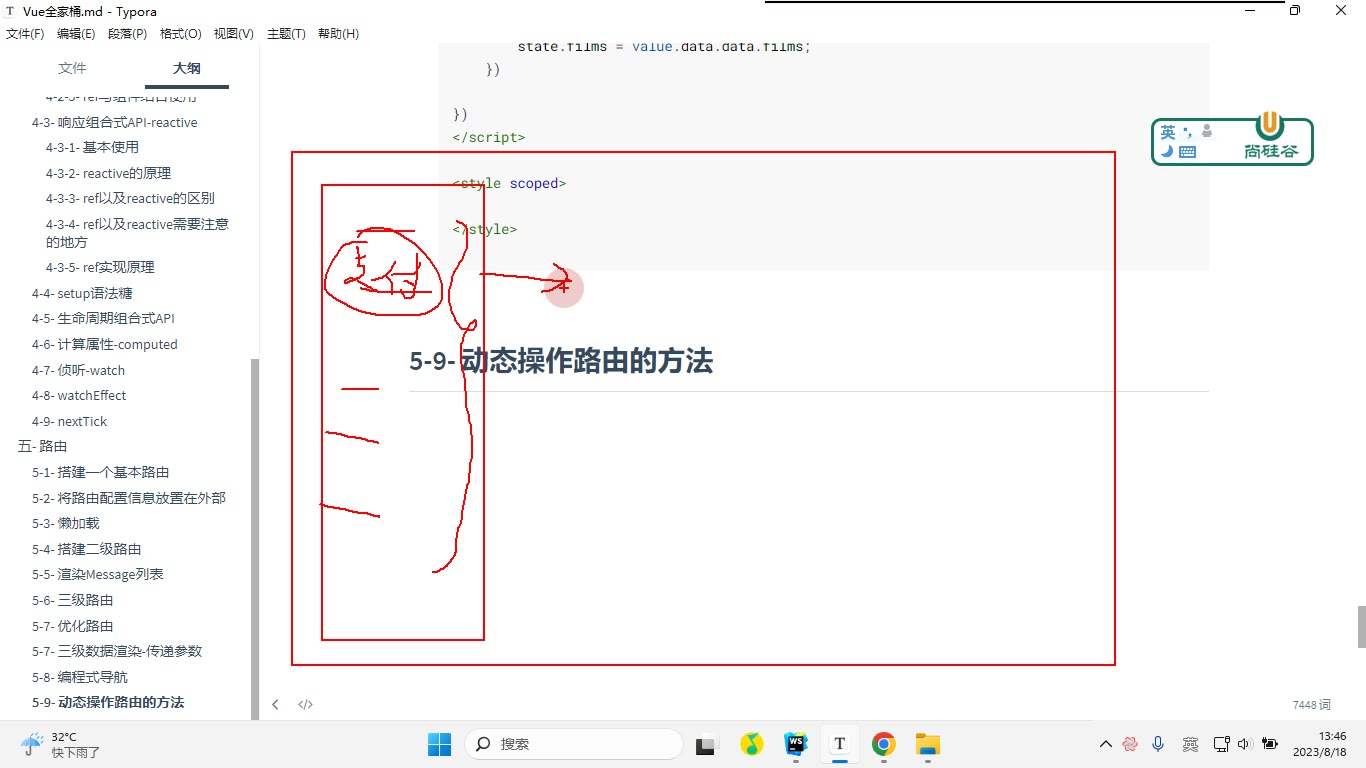
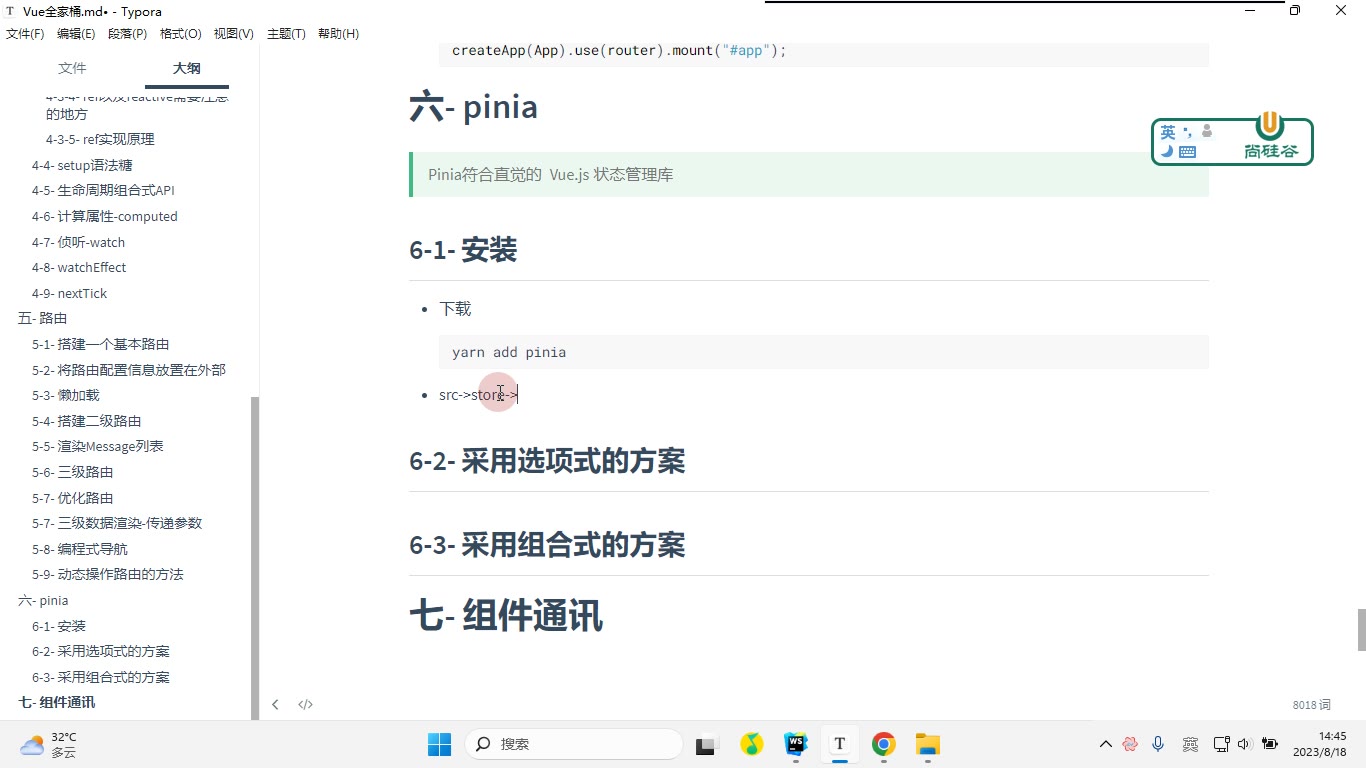
课堂画面
代码示例
示例 1:优化路由配置(src/router/index.ts)
ts
// src/router/index.ts
import { createRouter, createWebHistory, createWebHashHistory } from "vue-router"

// 1- 抽出一个“渲染组件”的方法,统一返回动态 import
const renderCom = function (name: string) {
    return () => import("@/pages/" + name + "/index.vue");
}

// 2- 配置每一个路由器的信息
const routes = [
    {
        path: "/",
        redirect: "/home"
    }, {
        path: "/home",
        component: renderCom("Home"),
        children: [
            {
                path: "/home",
                component: renderCom("Home/NewsList")
            },
            {
                path: "/home/message",
                component: renderCom("Home/Message"),
                children: [
                    {
                        path: "/home/message/:filmId",
                        component: renderCom("Home/Message/Detail")
                    }
                ]
            }
        ]
    },
    {
        path: "/about",
        component: renderCom("About")
    },
    {
        // vue-router@4 不支持 path:"*" 实现 404
        // 需要借助 params 形式结合正则实现 404
        path: "/:pathMath(.*)",
        component: renderCom("NotFount")
    }
]

// 3- 创建 router
const router = createRouter({
    // 相当于 Vue2 当中的 mode:"history"
    history: createWebHistory(),
    // 相当于 Vue2 当中的 mode:"hash"
    // history: createWebHashHistory(),
    routes,
    scrollBehavior() {
        return {
            left: 0, // 相当于之前的 x
            top: 0   // 相当于之前的 y
        }
    }
});

export default router;关键行与易错点
renderCom(name)把“路径字符串 + 动态 import”收敛成一个函数,新增页面时只改传参,避免到处重复写()=>import(...)。- 三级路由的关键:
Home/Message/Detail必须作为Home/Message的children写,父组件模板里要有<router-view>才能渲染出来。 path:"*"在 vue-router@4 已失效,404 必须用/:pathMath(.*)这种带正则的 params 写法。createWebHistory()与createWebHashHistory()二选一,不要同时写;scrollBehavior返回{left, top}(不是 x/y)。
示例 2:三级路由数据渲染与传参(Message/index.vue + Detail/index.vue)
vue
<!-- src/pages/Home/Message/index.vue -->
<template>
<ul>
<li v-for="item in state.films" :key="item.filmId">
<router-link :to="{
path:'/home/message/'+item.filmId
}">{{item.name}}</router-link>
<button @click="goDetail(item.filmId)">push</button>
<button @click="$router.replace('/home/message/'+item.filmId)">replace</button>
</li>
</ul>
<button @click="$router.forward()">前进</button>
<button @click="$router.back()">后退</button>
<hr/>
<router-view></router-view>
</template>
<script lang="ts" setup>
import { onMounted, reactive } from "vue";
import { useRouter } from "vue-router";
import axios from "axios";
const $router = useRouter();
const goDetail = (filmId: string) => {
$router.push('/home/message/' + filmId)
}
let state = reactive({
films: [] as any[]
})
onMounted(function () {
axios.get('https://m.maizuo.com/gateway?cityId=310100&pageNum=1&pageSize=3&type=1&k=6086743', {
headers: {
"X-Client-Info": '{"a":"3000","ch":"1002","v":"5.2.1","e":"16923264631851757969801217","bc":"310100"}',
"X-Host": "mall.film-ticket.film.list"
}
}).then(value => {
state.films = value.data.data.films;
})
})
</script>vue
<!-- src/pages/Home/Message/Detail/index.vue -->
<template>
    <h3>{{state.film.name}}</h3>
    <p>{{state.film.synopsis}}</p>
</template>

<script lang="ts" setup>
import { reactive, watch } from "vue";
import { useRoute } from "vue-router";
import axios from "axios";

const $route = useRoute();
const state = reactive({
    film: {} as any
})

// 方案二 - watch:监听参数变化并立即执行一次
watch(() => $route.params.filmId, async (filmId) => {
    const { data: { data: { film } } } = await axios.get("https://m.maizuo.com/gateway?filmId=" + filmId + "&k=7345366", {
        headers: {
            "X-Client-Info": '{"a":"3000","ch":"1002","v":"5.2.1","e":"16923264631851757969801217","bc":"310100"}',
            "X-Host": "mall.film-ticket.film.info"
        }
    })
    state.film = film;
}, {
    immediate: true
})
</script>关键行与易错点
- 模板里可以直接用
$route、$router,但在<script setup>中拿不到,必须useRoute()/useRouter();useRouter()得到的实例和@/router默认导出是同一个对象。 router-link的:to用对象形式{path:'/home/message/'+item.filmId}做拼接,参数名filmId必须与路由:filmId完全一致。- 同一个
Detail组件被复用(只换参数)时,onMounted不会再次执行,所以用watch(()=>$route.params.filmId, ..., {immediate:true})才能切换影片时刷新数据。 - 笔记中的另一方案
onBeforeRouteUpdate里同样要写next(),漏写会导致导航卡住。 $router.forward()/back()等价于go(1)/go(-1),replace不会产生历史记录,后退时不会回到被替换的那一条。
示例 3:动态操作路由(src/main.ts)
ts
// src/main.ts
import { createApp } from "vue";
import App from "@/App.vue";
import router from "@/router";

// 1- getRoutes:获取所有路由信息列表,类型是数组
// const routes = router.getRoutes();
// console.log(routes);

// 2- hasRoute:判断路由是否存在,接收“路由名字”,返回布尔值
// console.log(router.hasRoute("home"));  // true
// console.log(router.hasRoute("home2")); // false

const renderCom = function (name: string) {
    return () => import("@/pages/" + name + "/index.vue");
}

// 3- addRoute:添加路由,返回值是一个函数
const aboutRoute = router.addRoute({
    path: "/about",
    name: "about",
    component: renderCom("About")
})

// 4- removeRoute 方案一:按名字删除
// if (router.hasRoute("about")) {
//     router.removeRoute("about");
// }

// 4- removeRoute 方案二:调用 addRoute 的返回值
// aboutRoute();

// 扩展:把二级/三级路由挂到指定父路由下(第一个参数是父路由的 name)
router.addRoute("home", {
    path: "/home/message",
    name: "message",
    component: renderCom("Home/Message")
})
router.addRoute("message", {
    path: "/home/message/:filmId",
    component: renderCom("Home/Message/Detail")
})

// 必须在 mount 之前 addRoute,否则首屏匹配不到
createApp(App).use(router).mount("#app");关键行与易错点
- 四个方法要分清:
getRoutes()取列表、hasRoute(name)传的是 name 不是 path、addRoute()增、removeRoute(name)删。 addRoute("home", {...})的两个参数是「父路由的 name」+「子路由配置对象」;父路由必须有name,否则挂不上。name必须全局唯一,二级路由都叫home会互相覆盖,导致父级路由“消失”(转写稿里就踩了这个坑)。addRoute的调用时机很关键:要写在createApp(...).mount()之前,否则刷新后 404。removeRoute的第二种写法依赖addRoute的返回值(一个函数),若路由没有name,只能靠这种方式删除。
常见错误
详情页首次进入有数据,切换同列表里的其他影片时内容不刷新 现象:地址栏
filmId变了,页面还是上一部电影。 原因:/home/message/:filmId前后是同一个组件实例,Vue 复用了它,onMounted只执行一次。 修法:把请求逻辑抽成getData(id),用watch(() => $route.params.filmId, getData, { immediate: true }),或在onBeforeRouteUpdate里重新取数并next();也可给<router-view :key="$route.fullPath">强制重建。<script setup>里写$route.params.filmId拿到undefined或直接报错 现象:模板里{{ $route.params.filmId }}正常,脚本里同样写法不行。 原因:$route/$router是挂在组件模板上下文上的全局属性,setup 作用域里没有。 修法:const route = useRoute()、const router = useRouter();只有确实需要"全局单例 router 对象"时才import router from "@/router",读当前路由参数一律用useRoute()。404 兜底路由不生效,乱输地址后页面一片空白 现象:
path: "*"写了但匹配不到。 原因:vue-router@4 移除了*通配写法。 修法:改成path: "/:pathMatch(.*)*"(或笔记里的/:pathMath(.*),参数名自定但要与route.params读取一致),并把它放在routes数组最后。router.addRoute()加的路由刷新一下就 404 现象:不刷新能点进去,F5 之后找不到。 原因:addRoute写在app.mount()之后,或写在某个组件生命周期里,刷新时该代码还没跑到,路由已经完成首次匹配。 修法:把动态注册放在createApp(App).use(router)之前(或至少mount之前);权限类场景则放在路由守卫里await完再next(),必要时配合router.isReady()。用
addRoute("home", {...})挂二级路由,父级下不出现子路由 现象:hasRoute("home")为true,但子路由访问不到 / 被覆盖。 原因:第一个参数是父路由 name,父级必须已注册且 name 存在;同时所有 name 必须全局唯一,重名会顶掉原路由。 修法:先确认父级 name 拼写,再检查新路由的name是否与已有路由重复(同名就换名);删路由时优先用addRoute返回的函数,而不是removeRoute(name),避免名字记错。router.push拼接 path 跳转后落到 404 现象:点击按钮跳转地址少了层级或多了斜杠。 原因:path是绝对路径写法,必须写全/home/message/xxx,不能只写message/xxx;带参数时用params又没给name。 修法:要么router.push('/home/message/' + id)写全路径,要么router.push({ name: 'detail', params: { filmId: id } })—— 后者必须配name,用path时params会被忽略。
练习
- 给
/home/message/:filmId的详情页加一个"上一部 / 下一部"按钮,要求切换时不重建组件也能刷新内容,并说明你为什么选watch而不是onMounted。 - 用
renderCom(name)的写法,把现有全部路由(含三级路由与 404)改造成"从一份数组数据循环生成",并保证 404 仍在最后。 - 写一个模拟权限场景:初始路由表里没有
/about,用户点击"登录"按钮后才通过router.addRoute注册并跳转过去;再提供一个"退出"按钮用两种方式(removeRoute(name)和接收返回值函数)各删一次。 - 在
Message/index.vue里用useRouter()实现goDetail(id),分别用push和replace各做一次跳转,然后点浏览器后退键,观察两者历史栈差异并写下结论。 - 用 Pinia 建一个
store/index.ts和一个useCounterStore,在组件里既用解构store.count又用store.increment()修改,验证视图是否响应,并解释为什么直接解构state会丢响应性。
原视频对照
| # | 视频 | 时长 |
|---|---|---|
| 1 | 优化路由 | 05:26 |
| 2 | 三级数据渲染-传递参数 | 24:26 |
| 3 | 编程式导航 | 04:11 |
| 4 | 动态操作路由的方法 | 24:56 |
| 5 | pinia介绍 | 13:54 |
| 6 | 安装 | 06:00 |
小结
- 三级路由的本质是"父组件里再放一个
<router-view>",路由表嵌套只是声明,视图嵌套要靠组件模板配合。 - 动态段
:filmId改变时组件默认复用,"取数"要绑定在参数变化上,而不是绑定在挂载上,这是本模块最高频的坑。 useRoute()拿"当前路由对象",useRouter()拿"路由器实例",前者读参、后者跳转,二者不要混用;$route只在模板里天然可用。- 路由表用工厂函数 + 循环生成,是把"配置"变成"数据"的第一步,为后面接口下发路由做铺垫。
addRoute的时机比写法更重要:注册必须发生在首次匹配之前,否则刷新即失效;子路由注册依赖父级 name。- 编程式导航的
push/replace差异体现在历史栈,forward/back/go操作的是浏览器历史而不是路由表。 - Pinia 把 Vuex 的
mutations和modules砍掉了,只剩state+actions,流程仍是"组件调 action → action 改 state → 视图更新"。 - 判断是否该用 Pinia:跨组件共享且需要跨页面存活的数据才进 store,纯父子通信不要往仓库里塞。