主题
路由导航切换与路由切换时的钩子函数(Lesson10 1/3)
本页对应 Lesson10,共 6 段视频,约 1 小时 0 分。
学习目标
- 能够独立完成 Vue Router 的基本搭建:引入并注册路由插件、创建路由配置、挂载
router-view,并验证首页、新闻列表、商品列表、个人中心及 404 页面可正常渲染。 - 能够使用
router-link分别通过字符串路径、对象path、对象name三种方式实现路由导航切换,并验证跳转结果正确。 - 能够说明并验证从 A 路由切换到 B 路由时组件销毁与挂载相关钩子的执行顺序,准确判断 A 组件在 B 组件挂载前被销毁。
- 能够使用
router-link-active、router-link-exact-active及exact属性控制导航高亮,并解释精确匹配与非精确匹配的差异。 - 能够通过
active-class或路由配置中的linkActiveClass自定义高亮类名,并验证选中与未选中状态下的样式生效情况。 - 能够配置路由重定向、别名和通配 404 路由,并验证不同访问地址下的匹配、跳转与页面展示结果。
知识点
一、路由配置:让地址能找到组件
为什么需要:页面地址变化后,Vue 要知道“这个地址该渲染哪个组件”。没有路由配置,/newsList、/goodsList 只是普通地址,页面不会切换。
怎么想:先准备页面组件(Home、NewsList、GoodsList、My、NotFound),再把“地址 → 组件”的对应关系写进 routes 数组,最后创建 VueRouter 实例并导出。
怎么做:在 src/router/index.js 中引入依赖、安装插件、配置路由表。笔记代码如下:
js
import Vue from "vue";
// 1- 引入路由依赖模块
import VueRouter from "vue-router";
import Home from "@/views/Home";
import NewsList from "@/views/NewsList";
import GoodsList from "@/views/GoodsList";
import My from "@/views/My";
import NotFound from "@/views/NotFound";
// 2- 安装
Vue.use(VueRouter);
const routes = [
	{
		path:"/",
		name:"index",
		component:Home
	},{
		path:"/newsList",
		alias:"/news",
		name:"newsList",
		component:NewsList
	},{
		path:"/goodsList",
		name:"goodsList",
		alias:["/lala","/xixi"],
		component:GoodsList
	},{
		path:"/my",
		name:"my",
		component:My
	},{
		path:"*",
		component:NotFound
	},{
		path:"/home",
		redirect:"/"
	}
];
// 3- 创建router
export default  new VueRouter({
	routes,
	mode:"history"
});这里 alias 是别名,比如 /news 也能进新闻列表;path:"*" 是通配,匹配不到时进 404;redirect 是重定向。
易错点:component 要写“导入的组件变量”,不要写成标签或未定义变量。转写稿里启动后控制台报未定义一类错误,先注释 router 排查,再展开路由配置检查,发现组件引用写错,改回导入的组件后正常。另一个易错点是只写了路由配置却忘记在模板里放 router-view,页面只显示 App 外壳,不显示路由组件。
二、导航切换:router-link 的三种 to 写法
为什么需要:用户不会手动改地址栏,通常要点击导航。router-link 是路由提供的导航组件,最终会渲染成 a 标签。
怎么想:to 可以给字符串,也可以给对象;对象里可以用 path,也可以用 name。用 name 时,路由表里必须配置 name。
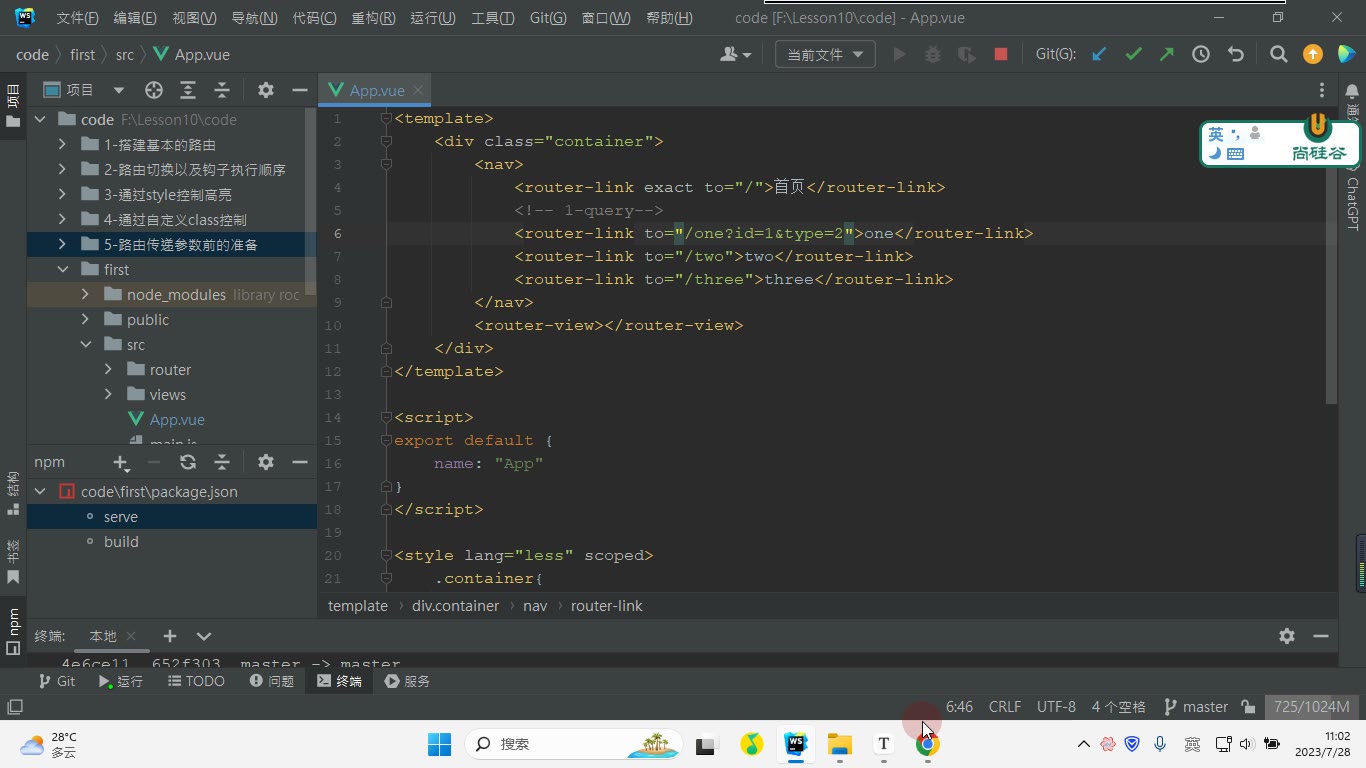
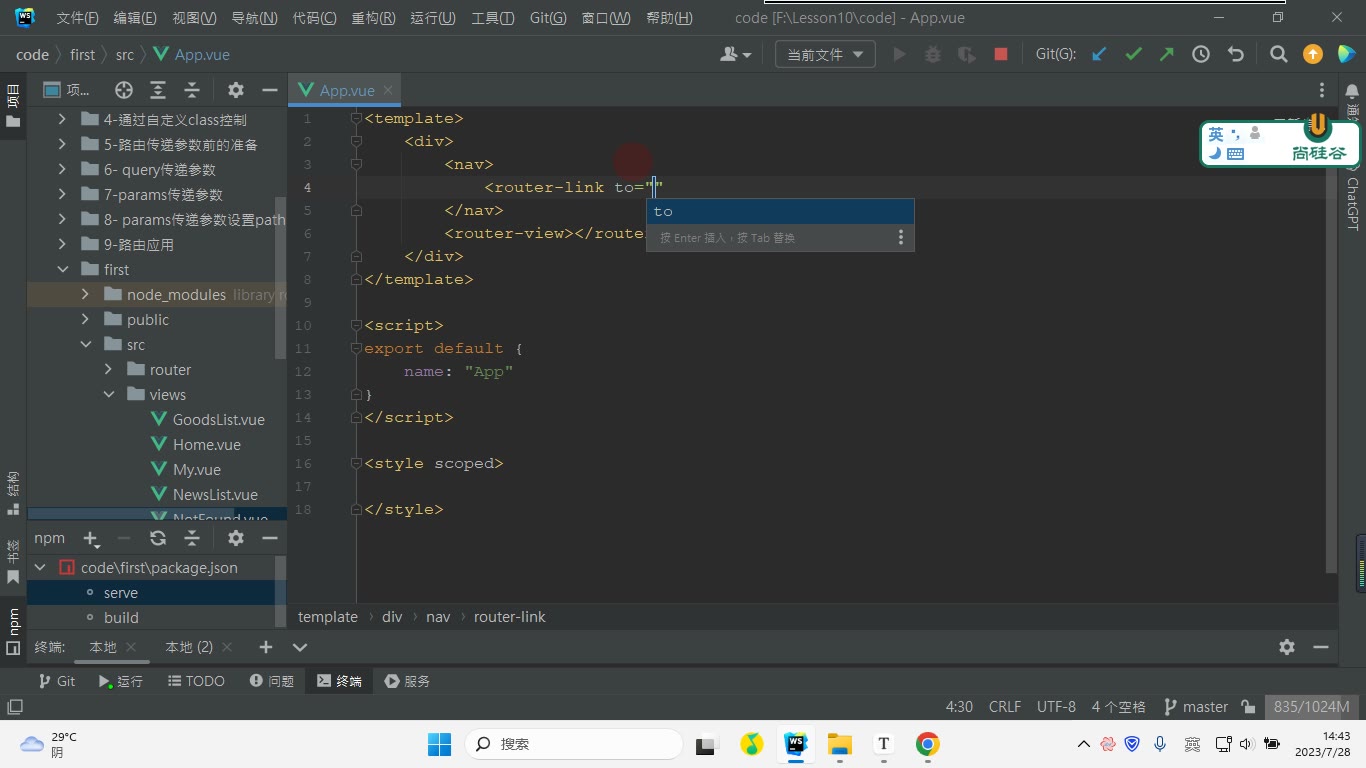
怎么做:在 App.vue 中放导航和 router-view。笔记代码如下:
vue
<template>
    <div id="app">
        <!--实现跳转1:值是一个字符串-->
        <nav>
            <router-link to="/">首页</router-link>|
            <router-link to="/newsList">新闻列表页</router-link>|
            <router-link to="/goodsList">商品列表页</router-link>|
            <router-link to="/my">个人中心</router-link>
        </nav>
        <!--实现跳转2:值是一个对象,通过path进行跳转-->
        <nav>
            <router-link :to="{path:'/'}">首页</router-link>|
            <router-link :to="{path:'/newsList'}">新闻列表页</router-link>|
            <router-link :to="{path:'/goodsList'}">商品列表页</router-link>|
            <router-link :to="{path:'/my'}">个人中心</router-link>
        </nav>
        <!--实现跳转2:值是一个对象,通过name进行跳转-->
        <nav>
            <router-link :to="{name:'index'}">首页</router-link>|
            <router-link :to="{name:'newsList'}">新闻列表页</router-link>|
            <router-link :to="{name:'goodsList'}">商品列表页</router-link>|
            <router-link :to="{name:'my'}">个人中心</router-link>
        </nav>
        <router-view></router-view>
    </div>
</template>

<script>
export default {
    name: "App"
}
</script>

<style lang="less" scoped>
    #app{
        text-align: center;
        a{
            padding:5px;
        }
    }
</style>易错点:对象写法前面要加冒号 :to,否则 {path:'/'} 只是字符串;name 写错会跳转失败;router-view 是路由组件的占位,不能漏。
三、高亮:router-link-active 与 router-link-exact-active
为什么需要:用户要知道“当前在哪个导航”。router-link 激活时会自动加类名:router-link-active 是非精确匹配,router-link-exact-active 是精确匹配。
怎么想:首页 / 是很多地址的前缀,所以只写 router-link-active 时,点新闻、商品,首页也容易一直高亮。要让“点谁谁高亮”,可以用精确匹配。
怎么做:方案一,给 router-link 加 exact,让 router-link-active 也按精确匹配生效;方案二,样式直接写 .router-link-exact-active;方案三,用 active-class 自定义类名,必要时配合 exact。
易错点:active-class 默认对应非精确激活类,不加 exact 时,/ 仍可能匹配所有以 / 开头的地址;exact 是加在 router-link 上的属性,不是写在 CSS 里。
四、切换时的生命周期:A 路由销毁,B 路由挂载
为什么需要:从 A 路由切到 B 路由时,A 组件会销毁,B 组件会创建挂载。若在 A 里开了定时器、发了请求,要在 beforeDestroy/destroyed 里清理。
怎么想:把 beforeCreate、created、beforeMount、mounted、beforeDestroy、destroyed 打日志观察顺序。转写稿的结论是:B 路由会先进入创建/挂载前阶段,A 路由在 B 的 mounted 之前销毁,最后 B 完成挂载。
怎么做:在 Home 和 NewsList 中分别打日志,点击导航观察控制台;清理逻辑放 beforeDestroy。
易错点:不要以为切走就立刻销毁;销毁发生在 B 挂载完成之前。异步请求回来时组件可能已销毁,要注意避免无效更新。
先看结论:A 路由切到 B 路由时,谁先谁后
为什么需要:路由切换不是简单“换一段文字”,而是旧组件销毁、新组件创建挂载的过程。如果不清楚顺序,就容易在错误时机清理定时器、取消订阅或操作 DOM。
怎么想:把路由切换还原成 Vue 组件的生命周期。笔记给出的结论是:从 A 路由切换至 B 路由,B 路由会进行挂载;在 B 路由执行 mounted 钩子函数之前,销毁 A 路由。
怎么做:在 Home.vue 和 NewsList.vue 中分别打日志,观察控制台顺序。实际顺序可读成:
text
B beforeCreate
B created
B beforeMount
A beforeDestroy
A destroyed
B mounted对应笔记编号,从 Home 切到 NewsList 时是:
text
5-NewsList->beforeCreate
6-NewsList->created
7-NewsList->beforeMount
8-Home->beforeDestroy
9-Home->destroyed
10-NewsList->mounted易错点:不要以为“先销毁 A,再创建 B”。转写稿里反复调试后确认:B 已经走到 beforeMount,A 才执行 beforeDestroy、destroyed,最后 B 才 mounted。转写稿里的“猫ed”就是 mounted,“destr”就是 destroyed。
代码打点:用 Home.vue 与 NewsList.vue 观察生命周期
为什么需要:只看结论记不住,必须用日志验证。怎么想:在 A、B 两个组件里都写 beforeCreate、created、beforeMount、mounted、beforeDestroy、destroyed,用编号区分执行阶段。怎么做:保留笔记代码:
vue
<!-- src/views/Home.vue -->
<template>
    <div>
        <h3>首页界面</h3>
    </div>
</template>

<script>
export default {
    name: "Home",
    beforeCreate() {
        console.log("1-Home->beforeCreate");
    },
    created(){
        console.log("2-Home->created");
    },
    beforeMount() {
        console.log("3-Home->beforeMount");
    },
    mounted(){
        console.log("4-Home->mounted");
    },
    beforeDestroy() {
        console.log("8-Home->beforeDestroy");
    },
    destroyed() {
        console.log("9-Home->destroyed");
    }
}
</script>

<style scoped>

</style>vue
<!-- src/views/NewsList.vue -->
<template>
    <div>
        <h3>新闻列表界面</h3>
    </div>
</template>

<script>
export default {
    name: "NewsList.vue",
    beforeCreate() {
        console.log("5-NewsList->beforeCreate");
    },
    created(){
        console.log("6-NewsList->created");
    },
    beforeMount() {
        console.log("7-NewsList->beforeMount");
    },
    mounted(){
        console.log("10-NewsList->mounted")
    },
    beforeDestroy() {
        console.log("NewsList->beforeDestroy");
    },
    destroyed() {
        console.log("NewsList->destroyed");
    }
}
</script>

<style scoped>

</style>易错点:mounted 不是“组件开始创建”,而是组件挂载完成;beforeDestroy 里还能访问组件实例,适合做清理;destroyed 时组件已销毁,不要再依赖 DOM。
调试过程:控制台顺序怎么读
为什么需要:真实项目里切换路由后出现“定时器还在跑”“事件重复绑定”,往往就是没按顺序理解钩子。怎么想:先打开首页并刷新,控制台出现 Home 的 1、2、3、4,说明首页挂载完成;再点击新闻列表,出现 5、6、7、8、9、10。转写稿中讲师就是通过这一步确认:新闻列表先创建、挂载前准备,然后首页销毁,最后新闻列表 mounted。
怎么做:在浏览器控制台按编号读:
text
1-Home->beforeCreate
2-Home->created
3-Home->beforeMount
4-Home->mounted

5-NewsList->beforeCreate
6-NewsList->created
7-NewsList->beforeMount
8-Home->beforeDestroy
9-Home->destroyed
10-NewsList->mounted再切回首页时,Home 重新走 1、2、3,NewsList 走 beforeDestroy、destroyed,最后 Home 走 4。这说明每次路由切换,目标组件都会重新创建挂载,旧组件会销毁。
易错点:不要只看到 beforeDestroy 就以为 A 已经没了;它只是销毁前。真正销毁完成是 destroyed。也不要在 A 的 beforeDestroy 里假设 B 的 DOM 已可用,因为 B 的 mounted 还没执行。
清理时机:为什么必须在 beforeDestroy 做收尾
为什么需要:如果 A 组件里设置了 setInterval、绑定了 window 事件或订阅了数据,路由切走后不清理,就会造成内存泄漏或重复执行。怎么想:beforeDestroy 时组件实例还在,能拿到定时器 id、能解绑事件;destroyed 后实例已销毁,清理条件可能丢失。怎么做:在 A 组件的 beforeDestroy 中清理:
js
beforeDestroy() {
    console.log("8-Home->beforeDestroy");
    clearInterval(this.timer);
    window.removeEventListener("resize", this.handleResize);
}易错点:不要放在 mounted 里清理;不要在 destroyed 里才第一次清理需要实例状态的资源;不要误把路由守卫当成组件生命周期钩子,本节观察的是组件钩子。
本节记忆口诀
为什么需要:把顺序压缩成一句,便于排错。怎么想:B 先准备,A 后销毁,B 最后挂载完成。怎么做:记住:
text
B beforeCreate → B created → B beforeMount
→ A beforeDestroy → A destroyed → B mounted易错点:转写稿中的“will router”“rooter”应纠正为 Vue Router;“勾s函数”是钩子函数;“猫ed”是 mounted。理解这套顺序后,路由切换时该在哪个钩子做什么事就清楚了。
课堂画面
代码示例
1. 路由配置文件 src/router/index.js
js
// src/router/index.js
import Vue from "vue";
import VueRouter from "vue-router";

import Home from "@/views/Home";
import NewsList from "@/views/NewsList";
import GoodsList from "@/views/GoodsList";
import My from "@/views/My";
import NotFound from "@/views/NotFound";

// 1- 安装路由插件
Vue.use(VueRouter);

// 2- 路由规则
const routes = [
  {
    path: "/",
    name: "index",
    component: Home
  },
  {
    path: "/newsList",
    alias: "/news",
    name: "newsList",
    component: NewsList
  },
  {
    path: "/goodsList",
    name: "goodsList",
    alias: ["/lala", "/xixi"],
    component: GoodsList
  },
  {
    path: "/my",
    name: "my",
    component: My
  },
  {
    path: "/home",
    redirect: "/"
  },
  {
    // 通配符路由,一般放在最后
    path: "*",
    component: NotFound
  }
];

// 3- 创建并导出 router
export default new VueRouter({
  routes,
  mode: "history"
});要点解释与易错点:
Vue.use(VueRouter)是安装路由插件,必须在创建 router 前执行。routes中每个对象就是一条路由规则,path是地址,component是对应组件。alias是别名:/news也能进入NewsList,/lala、/xixi也能进入GoodsList。redirect是重定向:访问/home会跳到/。path: "*"是通配符,通常要放在最后;如果放在/home前面,可能先把/home匹配走,导致重定向不生效。mode: "history"是 history 模式,上线后刷新子路由需要服务端配置 fallback,否则可能 404。- 注意:
GoodsList、My、NotFound等视图文件必须真实存在,否则 import 会报错。
2. 导航切换 src/App.vue
vue
<template>
  <div id="app">
    <!-- 实现跳转1:to 的值是一个字符串 -->
    <nav>
      <router-link to="/">首页</router-link>|
      <router-link to="/newsList">新闻列表页</router-link>|
      <router-link to="/goodsList">商品列表页</router-link>|
      <router-link to="/my">个人中心</router-link>
    </nav>

    <!-- 实现跳转2:to 的值是一个对象,通过 path 跳转 -->
    <nav>
      <router-link :to="{ path: '/' }">首页</router-link>|
      <router-link :to="{ path: '/newsList' }">新闻列表页</router-link>|
      <router-link :to="{ path: '/goodsList' }">商品列表页</router-link>|
      <router-link :to="{ path: '/my' }">个人中心</router-link>
    </nav>

    <!-- 实现跳转3:to 的值是一个对象,通过 name 跳转 -->
    <nav>
      <router-link :to="{ name: 'index' }">首页</router-link>|
      <router-link :to="{ name: 'newsList' }">新闻列表页</router-link>|
      <router-link :to="{ name: 'goodsList' }">商品列表页</router-link>|
      <router-link :to="{ name: 'my' }">个人中心</router-link>
    </nav>

    <!-- 路由组件渲染位置 -->
    <router-view></router-view>
  </div>
</template>

<script>
export default {
  name: "App"
};
</script>

<style lang="less" scoped>
#app {
  text-align: center;

  a {
    padding: 5px;
  }
}
</style>要点解释与易错点:
router-link是路由内置组件,最终会渲染成<a>标签。to是必须属性,表示要跳转的目标地址。- 字符串写法:
to="/newsList",直接写地址。 - 对象写法:
:to="{ path: '/newsList' }",注意前面要有冒号:,否则{ path: ... }会被当成普通字符串。 - name 写法:
:to="{ name: 'newsList' }",name必须和路由配置里的name完全一致。 <router-view>是路由组件的渲染出口,不写它,页面中看不到路由组件内容。scoped样式只作用于当前组件,这里给a加padding是为了让导航更好点击。
3. 路由切换时的生命周期钩子 Home.vue / NewsList.vue
vue
<!-- src/views/Home.vue -->
<template>
  <div>
    <h3>首页界面</h3>
  </div>
</template>

<script>
export default {
  name: "Home",
  beforeCreate() {
    console.log("1-Home->beforeCreate");
  },
  created() {
    console.log("2-Home->created");
  },
  beforeMount() {
    console.log("3-Home->beforeMount");
  },
  mounted() {
    console.log("4-Home->mounted");
  },
  beforeDestroy() {
    console.log("8-Home->beforeDestroy");
  },
  destroyed() {
    console.log("9-Home->destroyed");
  }
};
</script>vue
<!-- src/views/NewsList.vue -->
<template>
  <div>
    <h3>新闻列表界面</h3>
  </div>
</template>

<script>
export default {
  name: "NewsList.vue",
  beforeCreate() {
    console.log("5-NewsList->beforeCreate");
  },
  created() {
    console.log("6-NewsList->created");
  },
  beforeMount() {
    console.log("7-NewsList->beforeMount");
  },
  mounted() {
    console.log("10-NewsList->mounted");
  },
  beforeDestroy() {
    console.log("NewsList->beforeDestroy");
  },
  destroyed() {
    console.log("NewsList->destroyed");
  }
};
</script>要点解释与易错点:
- 从
Home切换到NewsList时,控制台顺序是:1 -> 2 -> 3 -> 4 -> 5 -> 6 -> 7 -> 8 -> 9 -> 10。 - 关键结论:
NewsList会先执行beforeCreate、created、beforeMount;在NewsList的mounted执行之前,Home会执行beforeDestroy、destroyed。 beforeCreate阶段拿不到data、methods,不要在这里做数据初始化。mounted表示组件已挂载,适合发请求、操作 DOM。beforeDestroy/destroyed是 Vue 2 写法;Vue 3 对应beforeUnmount/unmounted。- 路由切换默认会销毁旧组件;如果希望保留组件状态,需要配合
<keep-alive>。 - 笔记中
name: "NewsList.vue"带了.vue,实际开发建议写成name: "NewsList",避免组件名不规范。
常见错误
现象:页面只显示 App 外壳,路由地址变化但内容不切换。原因:App.vue 缺少
<router-view>,或 main.js 的new Vue未注入router。修法:补<router-view></router-view>,并确认new Vue({ router, render: h => h(App) }).$mount('#app')。现象:
router-link不跳转,控制台提示缺少to或把对象当字符串。原因:对象写法漏写冒号,如to="{ path:'/newsList' }"。修法:改为:to="{ path:'/newsList' }"或:to="{ name:'newsList' }",并确认路由表存在对应path/name。现象:用
name跳转失败或跳到错误页面。原因:路由配置未写name,或name拼写与:to="{ name: ... }"不一致。修法:逐项核对路由表name唯一性与大小写,统一使用同一名称。现象:导航高亮“点谁谁亮”失效,首页一直红或多个同时红。原因:使用了非精确匹配的
router-link-active/自定义active-class,父路径或根路径也被匹配。修法:需要精确高亮时使用exact、router-link-exact-active,或active-class配合exact。现象:从 Home 切到 NewsList 时,在 Home 的
destroyed里取不到 NewsList 已挂载后的 DOM/数据。原因:误判生命周期顺序,NewsList 的mounted在 Home 销毁之后才执行。修法:资源清理放beforeDestroy/destroyed,依赖新组件 DOM 的逻辑放新组件mounted,不要跨组件假设执行时机。
练习
为
/newsList配置别名/news,分别用字符串、path对象、name对象三种方式写router-link,并标出name跳转前必须补齐的配置。实现“点谁谁高亮”,分别用
router-link-exact-active、exact + router-link-active、active-class + exact三种方案写出关键片段,并比较三者差异。在 Home 与 NewsList 中加入生命周期日志,记录从 Home 切换到 NewsList 的完整执行顺序,并指出资源清理应放在哪个钩子。
为
/home配置重定向到/,为未知路径配置 404,并调整routes顺序;说明为什么 404 通配符不能放在具体路由前面。将路由模式改为
history后,直接刷新/goodsList出现 404。给出开发环境与部署环境两种排查修复思路。
原视频对照
| # | 视频 | 时长 |
|---|---|---|
| 1 | 搭建基本路由 | 15:26 |
| 2 | 路由导航切换 | 10:29 |
| 3 | 由切换时的钩子函数 | 07:24 |
| 4 | 通过style控制高亮 | 20:03 |
| 5 | 通过自定义class控制 | 05:50 |
| 6 | 通过路由配置 | 00:45 |
小结
router-link的to支持字符串与绑定对象;对象写法必须加冒号,name跳转依赖路由表name唯一且一致。高亮效果取决于匹配模式:精确匹配用
exact或router-link-exact-active,非精确匹配会包含子路径与根路径。自定义
active-class默认是非精确匹配;要“点谁谁亮”,需与exact组合使用。路由切换会销毁旧组件并挂载新组件,生命周期顺序决定数据请求、DOM 操作与资源清理的位置。
404 通配符必须放在具体路由之后;重定向是地址级跳转,不参与组件渲染。
history模式刷新子路由需要服务端 fallback,否则部署后会 404。排查路由问题优先看控制台报错、
router-view、router注入、路由表path/name与to是否一致。