主题
modules与插槽(Lesson12 3/3)
本页对应 Lesson12,共 6 段视频,约 1 小时 4 分。
学习目标
- 能够按业务域将 Vuex Store 划分为商品、购物车、用户模块,并将各模块的 state、mutations、actions、getters 抽离到独立目录文件中,在根 Store 中完成注册并读取模块 state。
- 能够通过 mutation 或 action 向商品模块添加商品,提交后跳转商品列表,并使用
v-for渲染商品名称、价格和上架时间。 - 能够实现加入购物车逻辑:判断购物车中是否已有该商品,已有则数量加 1,没有则新增商品,并跳转购物车列表。
- 能够渲染购物车列表并显示商品名称、价格、购买数量,能够通过全局过滤器格式化价格和日期。
- 能够使用
mapState、mapMutations简写模块数据与提交方法,并说明模块 state 映射需使用函数形式,以及未使用命名空间时同名 mutation 会被多个模块调用的现象。 - 能够使用默认插槽和具名插槽完成组件内容分发,并通过页面渲染结果验证插槽内容正确显示。
知识点
先划分模块:不要把状态全塞进 index.js
为什么需要:项目里同时有商品、购物车、用户等功能,如果所有 state、mutations、getters、actions 都写在 store/index.js,文件会越来越长,几百上千行后很难找。转写稿用“图书馆”比喻:书都放一个房间,虽然集中,但找起来要骑自行车;划分模块就是分层、分区。
怎么想:模块不是讲“模块化语法”的 import/export,而是对项目状态做业务拆分。商品和购物车有的项目放一个模块,有的分两个;用户通常单独一个模块。没经验时可参考后端接口划分,或看接口地址目录是否按业务分组。
怎么做:在 store/index.js 中先写 modules,每个属性就是一个模块;先保留根 state 做测试也可以。
js
// store/index.js
import Vue from 'vue'
import Vuex from 'vuex'
Vue.use(Vuex)

export default new Vuex.Store({
  state: { test: '刘德华' },
  modules: {
    goods: { state: { goodsList: [] } },
    cart: { state: { cartList: [] } },
    user: { state: {} }
  }
})此时访问路径变为 store.state.goods.goodsList、store.state.cart.cartList。易错点:模块划分没有绝对标准;模块没在 modules 中注册就不生效;不要误以为这是普通模块化语法。
把模块抽离成目录:index 只做汇总
为什么需要:即使写了 modules,如果每个模块的 state、mutations 还写在主文件里,主文件仍会膨胀。
怎么想:每个业务模块一个目录,目录下 index.js 导出模块对象;主文件只负责引入和注册。这样改商品打开 goods,改购物车打开 cart。
怎么做:
js
// store/goods/index.js
const state = { goodsList: [] }

export default {
  state,
  mutations: {
    ADD_GOODS(state, payload) {
      state.goodsList.unshift({
        id: Date.now(),
        goodsName: payload.goodsName,
        goodsPrice: Number(payload.goodsPrice),
        addTime: Date.now()
      })
    }
  }
}js
// store/cart/index.js
const state = { cartList: [] }

export default {
  state,
  mutations: {
    ADD_TO_CART(state, payload) {
      const info = state.cartList.find(v => v.id === payload.id)
      if (info) {
        info.quantity++
      } else {
        state.cartList.unshift({ ...payload, quantity: 1 })
      }
    }
  }
}js
// store/user/index.js
const state = {}
export default { state }js
// store/index.js
import goods from './goods'
import cart from './cart'
import user from './user'

export default new Vuex.Store({
  state: { test: '刘德华' },
  modules: { goods, cart, user }
})易错点:新增模块后一定回主文件注册;模块导出结构要和注册位置对应;调试时先打印 this.$store.state 看层级。
商品添加:表单收集后 commit 到商品模块
为什么需要:添加商品要把表单数据写入 goodsList,而修改 Vuex 状态必须通过 mutation。
怎么想:组件负责收集、校验、提交;goods 模块 mutation 负责把商品对象插入数组头部;提交成功后跳转商品列表。
怎么做:用 ref 收集名称和价格,空值提示;commit('ADD_GOODS', { goodsName, goodsPrice });价格转数字,避免后面过滤器把字符串当数字。
js
methods: {
  add() {
    const goodsName = this.$refs.goodsName.value.trim()
    const goodsPrice = this.$refs.goodsPrice.value.trim()
    if (!goodsName || !goodsPrice) {
      alert('商品名称或价格不允许为空')
      return
    }
    this.$store.commit('ADD_GOODS', { goodsName, goodsPrice })
    this.$router.push(/* 商品列表路由 */)
  }
}易错点:价格不转数字,currency 过滤器会报错;payload 字段名要和 mutation 一致;commit 名称写错不会报“找不到”那么直观。
商品列表渲染与全局过滤器
为什么需要:商品列表要从 goods.goodsList 取数据,并格式化价格、时间。
怎么做:
html
<div v-for="item in $store.state.goods.goodsList" :key="item.id">
  <span>{{ item.goodsName }}</span>
  <span>{{ item.goodsPrice | currency }}</span>
  <span>{{ item.addTime | date }}</span>
  <button @click="addCart(item)">加入购物车</button>
</div>全局过滤器可在 filters/index.js 导出对象,在 main.js 引入后遍历注册。易错点:路径少写 state 或 goods;过滤器没注册就使用;刷新后数据丢失是还没做缓存,不是渲染错。
加入购物车:先查再改数量
为什么需要:同一商品重复加入,应累加数量,而不是重复插入。
怎么做:ADD_TO_CART 中先 find 当前商品 id;有则 quantity++,无则 unshift({ ...payload, quantity: 1 })。列表按钮提交当前 item。
易错点:payload 是商品对象;find 比较字段要一致;购物车列表路径是 $store.state.cart.cartList。
未使用命名空间时的 commit 行为
转写稿专门测试:在 goods、cart、user 模块里都写同名 ADD_GOODS,然后 commit('ADD_GOODS'),结果所有模块中的同名 mutation 都会执行。原因是当前还没使用命名空间。易错点:正式代码不要保留测试 mutation;后续用命名空间优化。简写时,根状态可直接 mapState,模块状态要写成函数:
js
...mapState({
  goodsList: state => state.goods.goodsList
})mapMutations(['ADD_TO_CART']) 仍可用。购物车数量加减、登录后回到原页面,转写稿留作练习和后续内容。
原笔记标题为“插槽”,但本段转写实际推进的是 Vuex 模块化与购物车案例,以下按转写内容整理;转写中的“故ose/公司”按 goods、“co/考”按 cart、“有准”按 user 统一。原笔记接口资料保留如下:
text
https://i.maoyan.com/api/mmdb/movie/v3/list/hot.json?ct=上海&ci=10&channelId=4
https://api.github.com/search/repositories?q=r&sort=stars
https://api.github.com/search/users?q=r&sort=stars
接口baseurl:http://syt-api.atguigu.cn
登陆接口:http://139.198.34.216:8212/swagger-ui.html
数据字典接口:http://139.198.34.216:8202/swagger-ui.html
医院接口地址 http://139.198.34.216:8201/swagger-ui.html
用户接口:http://139.198.34.216:8203/swagger-ui.html
订单接口:http://139.198.34.216:8206/swagger-ui.html一、为什么要划分 Vuex 模块
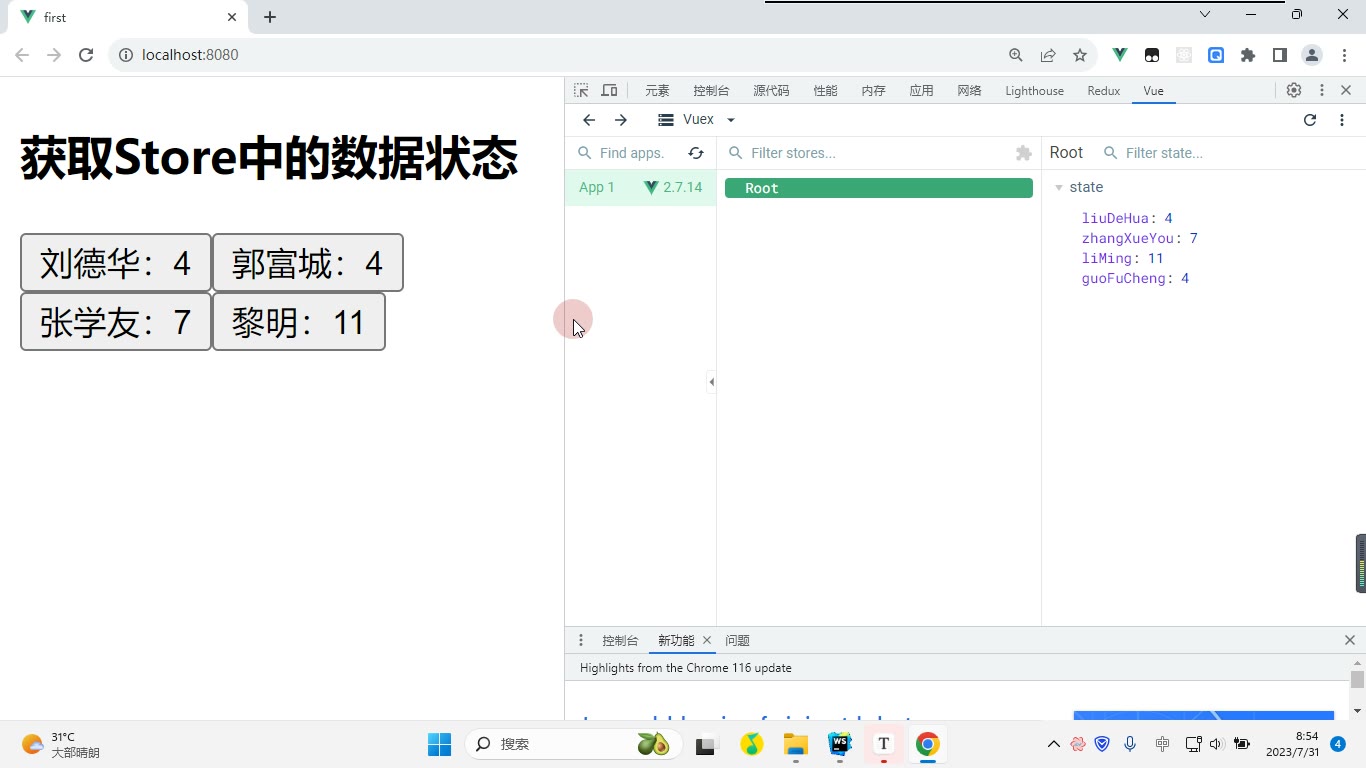
为什么需要:商品、购物车、用户状态都塞进一个 store,文件会越来越长,mutations、getters、actions 混在一起,后期难找难改。怎么想:像图书馆分楼层,按业务把 goods、cart、user 拆开,每个模块管自己的 state 和 mutation。怎么做:在 store/index.js 的 modules 中注册模块;先打印 this.$store.state 确认结构。易错点:模块必须写进 modules 才生效;未使用命名空间时,commit('addGoods') 会触发所有模块中同名的 addGoods,测试后要删掉多余同名 mutation。
js
// store/index.js
import Vue from 'vue'
import Vuex from 'vuex'
import goods from './goods'
import cart from './cart'
import user from './user'
Vue.use(Vuex)
export default new Vuex.Store({
  state: { test: '刘德华' },
  modules: { goods, cart, user }
})二、把模块从 index 中抽离
为什么需要:只在 index.js 里写三个模块对象,文件仍会变大。怎么想:一个业务一个目录,目录里放 index.js,对外导出模块对象。怎么做:建 store/goods/index.js、store/cart/index.js、store/user/index.js,再在根 store 引入。易错点:抽离后仍要在 modules 注册;goods 的 state 要写成 { goodsList: [] },不要和根 state 混在一起。
js
// store/goods/index.js
export default {
  state: { goodsList: [] },
  mutations: {
    addGoods(state, payload) {
      state.goodsList.unshift({
        id: Date.now(),
        goodsName: payload.goodsName,
        goodsPrice: Number(payload.goodsPrice),
        addTime: new Date()
      })
    }
  }
}三、完成商品添加与跳转
为什么需要:添加商品最终要修改 Vuex 中的 goodsList,修改状态应走 mutation。怎么想:组件收集名称、价格,提交 mutation,成功后跳商品列表。怎么做:用 ref 收集输入,校验非空,调用 addGoods,再 this.$router.push('/goods')。易错点:价格是字符串,转数字可用 Number(payload.goodsPrice) 或 +payload.goodsPrice;调试时先打印 this.$store.state.goods.goodsList 看是否入栈。
js
// AddGoods.vue 关键代码
methods: {
  submit() {
    if (!this.goodsName || !this.goodsPrice) return alert('商品名称或价格不允许为空')
    this.addGoods({ goodsName: this.goodsName, goodsPrice: this.goodsPrice })
    this.$router.push('/goods')
  }
}四、商品列表渲染与全局过滤器
为什么需要:列表要显示名称、价格、上架时间,价格和时间需要格式化。怎么想:模板用 v-for 遍历模块 state,过滤器注册为全局。怎么做:$store.goods.goodsList 渲染;src/filters/index.js 导出过滤器对象,在 main.js 中 Object.keys(filters).forEach(k => Vue.filter(k, filters[k]))。易错点:模块下不能直接写 goodsList,mapState 要用函数:state => state.goods.goodsList;过滤器名和模板中的 | 后名称要一致。
html
<div v-for="item in $store.goods.goodsList" :key="item.id">
  {{ item.goodsName }} {{ item.goodsPrice | currency }} {{ item.addTime | date }}
  <button @click="addToCart(item)">加入购物车</button>
</div>五、加入购物车与购物车列表
为什么需要:同一商品多次加入不能重复插一条,应累加购买数量。怎么想:先在 cartList 中 find 该商品 ID;有则 buyNum++,无则 unshift({ ...payload, buyNum: 1 })。怎么做:cart 模块写 addToCart,商品列表按钮提交后跳 /cart;购物车页遍历 $store.cart.cartList。易错点:find 比较的是商品 ID;展开对象时不要漏 buyNum;简写 mapMutations 后调用名字要与 mutation 一致。
js
// store/cart/index.js
export default {
  state: { cartList: [] },
  mutations: {
    addToCart(state, payload) {
      const info = state.cartList.find(v => v.id === payload.id)
      if (info) info.buyNum++
      else state.cartList.unshift({ ...payload, buyNum: 1 })
    }
  }
}html
<!-- CartList.vue 关键代码 -->
<div v-for="item in $store.cart.cartList" :key="item.id">
  {{ item.goodsName }} {{ item.goodsPrice | currency }} 数量:{{ item.buyNum }}
</div>调试时重点看两点:打印 this.$store.state 确认 goods/cart/user 层级;若模板报“找不到 goodsList”,优先检查是否少写了 state.goods.goodsList。
课堂画面
代码示例
1. Vuex 模块划分与模块抽离(store 目录)
js
// src/store/index.js —— 主文件,只负责组装模块
import Vue from 'vue'
import Vuex from 'vuex'
import goods from './modules/goods'
import cart from './modules/cart'
import user from './modules/user'

Vue.use(Vuex)

export default new Vuex.Store({
  state: {
    root: '刘德华' // 根模块自己的状态,依然可以继续用
  },
  modules: {
    goods, // modules 中每一个属性,就是一个模块
    cart,
    user
  }
})js
// src/store/modules/goods/index.js —— 商品模块
export default {
  state: {
    goodsList: [] // 当前模块自己的数据状态
  },
  mutations: {
    ADD_GOODS(state, payload) {
      state.goodsList.unshift({
        id: Date.now(),                    // 唯一标识
        goodsName: payload.goodsName,      // 商品名称
        goodsPrice: payload.goodsPrice * 1,// 转成数字,否则后面过滤器报错
        addTime: Date.now()                // 上架时间
      })
    }
  },
  actions: {},
  getters: {}
}js
// src/store/modules/cart/index.js —— 购物车模块
export default {
  state: {
    cartList: []
  },
  mutations: {
    ADD_CART(state, payload) {
      // 先判断购物车中是否已有该商品
      const cartInfo = state.cartList.find(v => v.id === payload.id)
      if (cartInfo) {
        cartInfo.buyNum++ // 不是第一次购买,只改数量
      } else {
        state.cartList.unshift({ ...payload, buyNum: 1 }) // 第一次购买,数量为 1
      }
    }
  },
  actions: {},
  getters: {}
}js
// src/store/modules/user/index.js —— 用户模块(先占位)
export default {
  state: {},
  mutations: {},
  actions: {},
  getters: {}
}关键行与易错点
modules: { goods, cart, user }中每个属性就是一个模块;新增模块后必须在这里注册,否则模块不生效。- 模块里的
state是局部的,读取时必须带模块名:state.goods.goodsList、state.cart.cartList,不能直接state.goodsList。 - 没有开启命名空间时,
commit('ADD_GOODS')会触发所有模块中同名 mutation(转写稿里在 goods/cart/user 三个模块都写ADD_GOODS时,三个都执行了)。因此不同模块的 mutation 名不要重复,或用命名空间隔离。 - 模块推荐一个目录一个
index.js,商品相关文件全放modules/goods下,便于后期单独修改。 goodsPrice * 1不能漏:输入框拿到的是字符串,字符串没有toFixed,过滤器里会报错。
2. 添加商品 + 商品列表渲染(AddGoods.vue / GoodsList.vue)
js
// src/filters/index.js —— 全局过滤器
export default {
  date(val) {
    if (!val) return ''
    const d = new Date(val)
    const m = (d.getMonth() + 1 + '').padStart(2, '0')
    const day = (d.getDate() + '').padStart(2, '0')
    return `${d.getFullYear()}-${m}-${day}`
  },
  currency(val) {
    return '¥' + Number(val).toFixed(2)
  }
}js
// src/main.js —— 把过滤器注册成全局的
import Vue from 'vue'
import App from './App.vue'
import router from './router'
import store from './store'
import filters from './filters'

Object.keys(filters).forEach(key => Vue.filter(key, filters[key]))

new Vue({
  router,
  store,
  render: h => h(App)
}).$mount('#app')vue
<!-- src/views/AddGoods.vue -->
<template>
  <div>
    <p>商品名称:<input type="text" ref="goodsNameRef"></p>
    <p>商品价格:<input type="text" ref="goodsPriceRef"></p>
    <button @click="addGoods">提交</button>
  </div>
</template>

<script>
import { mapMutations } from 'vuex'
export default {
  methods: {
    ...mapMutations(['ADD_GOODS']),
    addGoods() {
      const goodsName = this.$refs.goodsNameRef.value
      const goodsPrice = this.$refs.goodsPriceRef.value
      if (goodsName.length === 0 || goodsPrice.length === 0) {
        alert('商品名称或价格不允许为空')
        return
      }
      this.ADD_GOODS({ goodsName, goodsPrice })
      this.$router.push('/goodslist') // 添加完跳转商品列表
    }
  }
}
</script>vue
<!-- src/views/GoodsList.vue -->
<template>
  <div>
    <div v-for="item in goodsList" :key="item.id">
      <span>商品名称:{{ item.goodsName }}</span>
      <span>商品价格:{{ item.goodsPrice | currency }}</span>
      <span>上架时间:{{ item.addTime | date }}</span>
      <button @click="addCart(item)">加入购物车</button>
    </div>
  </div>
</template>

<script>
import { mapState, mapMutations } from 'vuex'
export default {
  computed: {
    ...mapState({
      goodsList: state => state.goods.goodsList // 必须写到模块这一层
    })
  },
  methods: {
    ...mapMutations(['ADD_CART']),
    addCart(item) {
      this.ADD_CART(item)
      this.$router.push('/cartlist')
    }
  }
}
</script>关键行与易错点
mapState(['goodsList'])在分模块后取不到值(会报错sends下没有该属性),必须写成mapState({ goodsList: state => state.goods.goodsList })。- 用
mapMutations简写后,模板里直接写@click="ADD_CART(item)"即可,不用再this.$store.commit。 v-for一定要加:key="item.id",id用Date.now()生成,只作唯一标识。- 列表渲染前先
console.log(this.$store.state)看清结构:根 state 下有root、goods、cart、user,再逐层往下找。 - 刷新后数据丢失属于正常现象(还没做持久化),不是代码 bug。
3. 加入购物车逻辑 + 购物车列表渲染(CartList.vue)
vue
<!-- src/views/CartList.vue -->
<template>
  <div>
    <div v-for="item in cartList" :key="item.id">
      <span>商品名称:{{ item.goodsName }}</span>
      <span>商品价格:{{ item.goodsPrice | currency }}</span>
      <span>
        <button @click="item.buyNum--">-</button>
        {{ item.buyNum }}
        <button @click="item.buyNum++">+</button>
      </span>
    </div>
  </div>
</template>

<script>
import { mapState } from 'vuex'
export default {
  computed: {
    ...mapState({
      cartList: state => state.cart.cartList
    })
  }
}
</script>js
// src/store/modules/cart/index.js —— 加入购物车核心判断(完整版)
export default {
  state: {
    cartList: []
  },
  mutations: {
    ADD_CART(state, payload) {
      // 1. 先找购物车里有没有这件商品
      const cartInfo = state.cartList.find(v => v.id === payload.id)
      // 2. 有就只加数量
      if (cartInfo) {
        cartInfo.buyNum++
        return
      }
      // 3. 没有就把商品信息整体合并进购物车,并给个初始数量 1
      state.cartList.unshift({ ...payload, buyNum: 1 })
    }
  }
}关键行与易错点
- 判断是否第一次购买用
find(v => v.id === payload.id),不能只靠buyNum是否存在,id才是唯一依据。 - 新增用
unshift放头部,和商品列表保持一致,用户能立刻看到刚加的条目。 { ...payload, buyNum: 1 }用展开运算符把商品信息整体合并进来;也可写成payload.buyNum = 1后直接unshift(payload),效果一样。- 购物车列表的
mapState同样要写完整路径state.cart.cartList,写成state.cartList会取不到数据(转写稿里就漏写模块名报过错)。 - 模板里直接
item.buyNum--属于直接修改 state,仅作演示;规范做法是在 cart 模块里加ADD_BUYNUM/REDUCE_BUYNUM的 mutation 再提交。
常见错误
现象:模块文件已创建,但页面中
$store.state.goods取不到。
原因:store/index.js的modules未注册该模块,或注册键名与访问路径不一致。
修法:在modules中显式注册,并核对import名、注册键名、页面访问路径三者一致。现象:
mapState里直接写goodsList报错或拿不到数据。
原因:模块化后数据在state.goods.goodsList,简写默认按根state查找。
修法:改用函数形式state => state.goods.goodsList,或模板中写全$store.state.goods.goodsList。现象:调用一次
commit('addGoods'),多个模块的同名 mutation 都被执行。
原因:当前未启用命名空间,commit会按 mutation 名全局匹配。
修法:先避免不同模块使用同名 mutation;后续启用namespaced后用模块名/mutation名精确调用。现象:商品价格格式化时报
toFixed is not a function。
原因:表单收集到的是字符串,直接存入 Vuex,后续按数字调用方法。
修法:提交前用Number()、parseFloat()或+price转数字,再进入 mutation。现象:同一商品多次加入购物车,列表出现多条重复记录。
原因:加入购物车前未按商品id查找购物车中是否已存在。
修法:先find已有项:存在则数量+1,不存在再unshift({ ...payload, buyNum: 1 })。现象:全局过滤器已写,但页面使用无效或入口报错。
原因:filters/index.js未在main.js中引入执行,或注册遍历逻辑未生效。
修法:在main.js引入过滤器入口文件,确保遍历并执行Vue.filter注册。现象:刷新页面后商品列表、购物车数据全部清空。
原因:Vuex 状态保存在内存中,刷新即重置。
修法:本阶段先明确该现象;需要保留时再做localStorage/sessionStorage或持久化插件。
练习
将
store/index.js中的goods、cart、user三个模块抽离到store/modules/下,并保证商品列表能读取goods.goodsList、购物车能读取cart.cartList。完成商品添加表单校验:商品名称、价格不能为空;价格提交前转为数字;提交成功后跳转商品列表并渲染新增商品。
实现加入购物车逻辑:同一
id的商品只保留一条并累加buyNum,不同id的商品新增一条且buyNum为 1;在购物车列表渲染名称、单价、数量。注册全局价格/日期过滤器,并说明
main.js、过滤器入口文件、组件使用处分别需要检查什么。选做:给购物车数量增加“减/加”按钮,减到 1 时停止或删除该商品;同时说明刷新后数据丢失应如何处理。
原视频对照
| # | 视频 | 时长 |
|---|---|---|
| 1 | 划分模块 | 14:49 |
| 2 | 将模块进行抽离 | 07:19 |
| 3 | 完成商品添加 | 16:55 |
| 4 | 完成商品列表渲染 | 08:45 |
| 5 | 完成加入购物车 | 08:37 |
| 6 | 完成购物车列表渲染 | 08:03 |
小结
- 模块划分按业务域拆分,
store/modules下每块独立维护,主文件只负责注册与组装。 - 模块化后状态路径变深,模板、计算属性、
mapState都必须带模块键。 - 未启用命名空间时,同名 mutation 会被全局触发,模块命名要主动避冲突。
- 组件不要直接改 state,添加、累加、跳转等操作仍通过
commit/dispatch驱动。 - 表单值默认是字符串,价格等数值字段入库前必须显式转换。
- 购物车的关键不是“能加”,而是“先查后增/改”,避免重复项和数量错误。
- 全局过滤器依赖入口执行注册;刷新丢失是 Vuex 内存特性,持久化需单独处理。
- 模块抽离提升可维护性,但注册遗漏、路径写错、简写误用是最高频问题。