主题
异步获取数据列表并完成渲染-未使用actions与异步获取数(Lesson12 1/3)
本页对应 Lesson12,共 7 段视频,约 1 小时 26 分。
学习目标
- 能独立创建并注册 Vuex store,在组件中读取 state 并完成页面渲染。
- 能通过
commit提交 mutations 修改 state,正确传递 payload,并使用mapMutations的数组/对象写法简化调用。 - 能说明
mapMutations将 mutations 映射为组件方法的实现原理,并手写等价映射函数验证效果。 - 能定义 getters 及
mapGetters简写,在组件中读取派生状态,并通过修改依赖 state 验证缓存行为。 - 能按功能拆分 Todo 组件,在 Vuex 中完成添加任务功能,并验证空标题、重复标题提示及输入框清空。
- 能使用 actions 完成异步获取数据列表并渲染,分别实现未使用 actions 与使用 actions 的版本并对比调用流程。
知识点
先把列表数据放进仓库:state 与 mutation 的最小闭环
为什么需要:列表数据要被组件渲染,也要在请求回来后统一更新。转写稿里反复强调,Vuex 是集中式数据管理:组件通过 $store.state 取状态,修改状态要走 commit 调用 mutations,不能随手直接改。本节先把 items 放进 state,再准备一个 UP_ITEMS mutation 专门接收接口返回的数组。
怎么想:仓库只负责“存”和“按规则改”。异步请求本身不放进 mutation,因为转写稿明确说 mutations 一般是同步操作;本节又明确“未使用 actions”,所以请求放在组件里,拿到数据后再提交 mutation。
怎么做:在 src/store/index.js 中创建仓库:
js
import Vue from "vue";
import Vuex from "vuex";

Vue.use(Vuex);
// 数据状态
const state = {
	items:[]
};
const mutations = {
	UP_ITEMS(state,items){
		state.items = items;
	}
};
const getters = {

};
const store = new Vuex.Store({
	state,
	mutations,
	getters
});
export default store;易错点:Vue.use(Vuex) 不能漏;new Vuex.Store 的 S 大写;mutation 名建议全大写、多个单词用下划线,转写稿也提到这是规范。getters 本节为空对象即可,不要为了“看起来完整”编造计算逻辑。
在组件 mounted 中发异步请求:先确认返回结构,再提交
为什么需要:页面一挂载就要拿到远程列表。转写稿里的调试思路是:先打印接口返回,确认数据在哪一层,再决定 commit 什么,不要凭感觉直接写。
怎么想:axios.get(...).then(...) 里先 console.log(value.data.items),确认它是要渲染的数组;确认后再 this.$store.commit("UP_ITEMS", value.data.items)。这样 mutation 只负责把数组赋给 state.items,职责清楚。
怎么做:在 src/App.vue 中:
vue
<template>
    <div>
        <div v-for="item in $store.state.items" :key="item.id">
            {{item.full_name}}
        </div>
    </div>
</template>

<script>
import axios from "axios";
export default {
    name: "App.vue",
    mounted(){
        axios.get("https://api.github.com/search/repositories?q=r&sort=stars").then(value=>{
            console.log(value.data.items);
            this.$store.commit("UP_ITEMS",value.data.items);
        })
    }
}
</script>

<style scoped>

/*app*/
.todo-container {
    width: 600px;
    margin: 0 auto;
}
.todo-container .todo-wrap {
    padding: 10px;
    border: 1px solid #ddd;
    border-radius: 5px;
}

</style>易错点:不要在 then 里写 this.$store.state.items = value.data.items,这绕过了 mutation,违背集中式管理;转写稿里专门演示过“直接改能显示但仓库数据没变”的错误示范。commit 第一个参数是 mutation 名,第二个参数是 payload;本节 payload 就是整个数组。请求失败没有写 catch,本节笔记未涉及,不要额外编造处理方案。
模板渲染:用 $store.state.items 直接取,key 用稳定 id
为什么需要:数据进入仓库后,模板要能响应式更新。转写稿里说 state 的内容是响应式的,mutation 赋值后视图会跟着变。
怎么想:v-for="item in $store.state.items" 直接读仓库状态;每一项展示 item.full_name,:key="item.id" 用接口返回的稳定 id,避免用索引造成复用问题。
怎么做:保持上面的模板写法即可。请求成功后,UP_ITEMS 把 items 替换成新数组,列表自动渲染。
易错点:$store 不要写成 $store.state.state.items;item.full_name 要和接口字段一致,写错不会报错但页面空白,所以转写稿强调先 console.log 看结构。key 不要漏,否则列表更新时可能复用异常。
本节边界:未使用 actions 时,异步逻辑留在组件
为什么需要:明确本节为什么没有 actions。转写稿说 mutations 是同步操作,异步请求若硬塞进 mutation 会破坏“先请求、后提交”的边界。
怎么想:当前规模小,组件挂载时请求一次,成功后 commit,已经能完成“异步获取数据列表并完成渲染”。等需要复用请求、统一管理异步流程时,再引入 actions;本节不展开。
怎么做:按上面 mounted + axios + commit 的链路执行。调试时可在控制台查看 $store.state.items 是否已变成接口数组。
易错点:不要把 axios.get 写进 mutations 里;也不要在组件里直接改 state。转写稿的核心结论是:获取走 $store.state,修改走 this.$store.commit 调用 mutations 中的方法。
一、为什么把异步请求放进 actions
为什么需要: 组件里直接发请求再改 state,会破坏 Vuex 的集中式管理。转写稿复习时反复强调:修改数据状态要走正规途径,不能绕过仓库随手改。异步请求属于“行为”,应该放进 actions,请求成功后再通过 commit 调 mutations 改状态。
怎么想: state 存数据,mutations 做同步更新,actions 承接异步行为。actions 里的函数可通过 $store.dispatch('action名', payload) 调用;函数第一个参数是 context,常用 commit 调 mutation,第二个参数是荷载 payload。
怎么做: 在 src/store/index.js 中定义 state.items、mutations.UP_ITEMS、actions.getItems。getItems({commit}, q) 用 axios.get 请求 GitHub,拿到 data.items 后 commit("UP_ITEMS", data.items)。
易错点: 不要在 action 里直接写 state.items = ...;不要忘记 import axios;GitHub 返回的是 data.items,不是整个 data;mutation 名建议全大写,和 commit 里的名字一致。
js
import Vue from "vue";
import Vuex from "vuex";
import axios from "axios";
Vue.use(Vuex);
// 数据状态
const state = {
	items:[]
};
// 同步更新状态方法
const mutations = {
	UP_ITEMS(state,items){
		state.items = items;
	}
};
// 计算属性
const getters = {

};
// 异步行为:
// actions是一个对象,对象的属性名即是action的名字,类型是一个函数,该函数可以通过$store.dispatch('action的名字',payload)调用。
const actions = {
	// getItems是action的名字
	// 第一个参数一般命名为context, 是一个对象,该对象中拥有store中常用的方法和属性
	// context->state在此处可以获取,但不建议修改。
	// dispatch:调用actions下的方法
	// commit:调用mutations下的方法
	// state:获取state下的数据
	// getters:获取getters中定义的计算属性。

	// 第二个参数一般命名为payload,荷载数据。
	// getItems(context,payload,b,c,d){
	// 	console.log("getItems",context.state,payload,b,c,d)
	// }

	async getItems({commit},q){
		// 获取数据
		const {data} = await axios.get("https://api.github.com/search/repositories?q="+q+"&sort=stars");
		// 更新数据状态
		commit("UP_ITEMS",data.items);
	}
}
const store = new Vuex.Store({
	state,
	mutations,
	getters,
	actions
});
export default store;二、在组件中映射并触发 action
为什么需要: 组件里如果每次都写 this.$store.dispatch("getItems", payload) 会比较重复,mapActions 可以把 action 映射成组件方法。
怎么想: mapActions 和 methods 结合使用;数组写法要求方法名与 action 名一致,对象写法可以给方法起别名。笔记里两种写法都保留:...mapActions(["getItems"]) 和 ...mapActions({ one:"getItems" })。
怎么做: 在 mounted 中触发。未简写是 this.$store.dispatch("getItems","react");简写是 this.getItems("react");起别名后是 this.one("react")。三者最终都是调用 getItems,并把 "react" 作为 q 传给 action。
易错点: mapActions 放在 methods,不要放 computed;数组写法的方法名必须和 action 名对应;对象写法 one 是组件方法名,值 "getItems" 才是 action 名;mounted 里调用哪个映射名,就执行哪个方法。
vue
<template>
    <div>
        <div v-for="item in $store.state.items" :key="item.id">
            {{item.full_name}}
        </div>
    </div>
</template>

<script>
// methods结合使用的是:mapMutations,mapActions
// computed结合使用的是:mapState,mapGetters
import {mapActions} from "vuex";
export default {
    name: "App.vue",
    methods:{
        ...mapActions(["getItems"]),
        // 相当于:
        // ...{
        //     getItems(payload){
        //         this.$store.dispatch("getItems",payload)
        //     }
        // }

        ...mapActions({
            one:"getItems"
        }),
        // 相当于:
        // ...{
        //     one(payload){
        //         this.$store.dispatch("getItems",payload)
        //     }
        // }
    },
    mounted(){
        // 第一个参数是action的名字。作用:调用store->index.js->actions->getItems,传递参数react
        // 1- 未简写
        // this.$store.dispatch("getItems","react");
        // 2- 简写
        // this.getItems("react");
        // 3- 简写
        this.one("react");
    }
}
</script>

<style scoped>
/*app*/
.todo-container {
    width: 600px;
    margin: 0 auto;
}
.todo-container .todo-wrap {
    padding: 10px;
    border: 1px solid #ddd;
    border-radius: 5px;
}
</style>三、渲染与调试过程
为什么需要: 请求成功后必须把 state.items 渲染出来,才能验证 action、mutation、state 是否串起来。
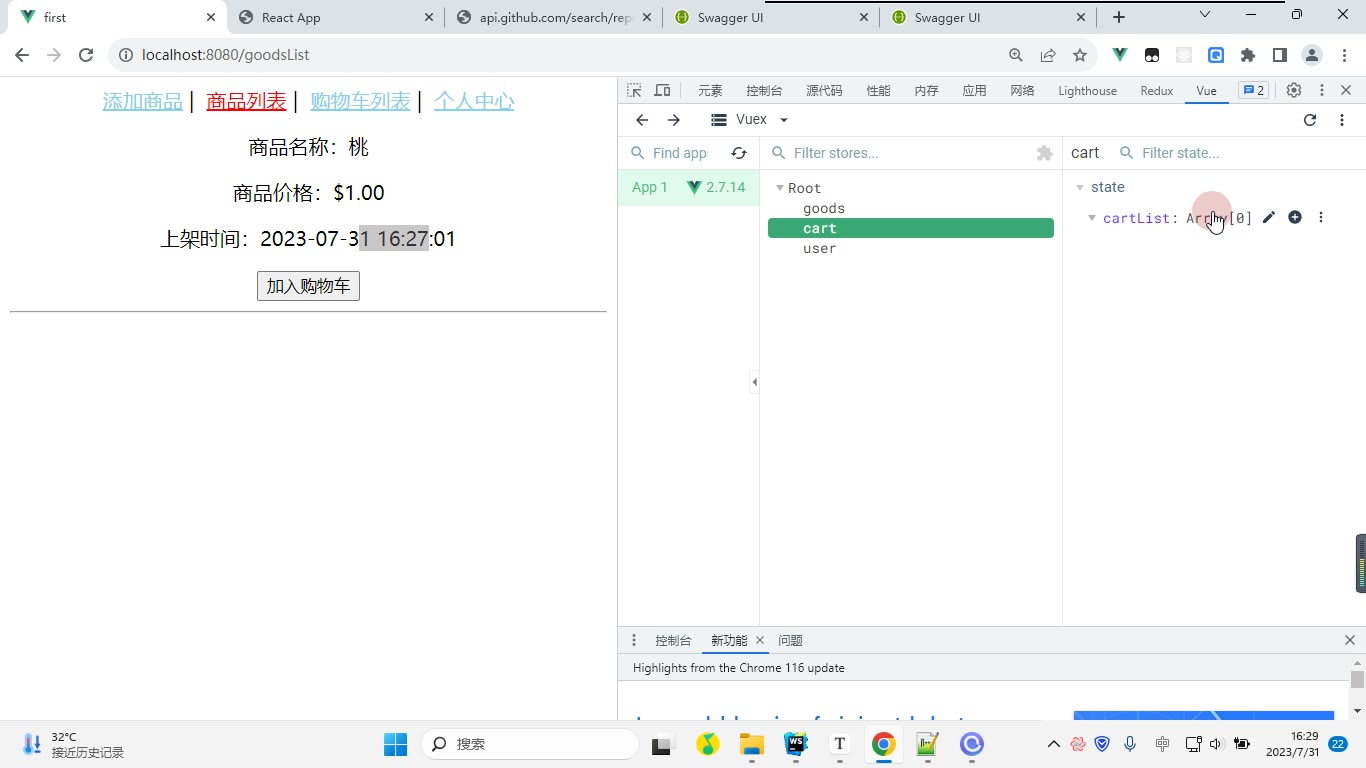
怎么想: 模板里用 v-for="item in $store.state.items",key 用 item.id,显示 item.full_name。转写稿的调试习惯是先看控制台/DevTools,再看视图是否变化;本节可以先确认 mounted 是否触发 dispatch,再看 Network 是否请求 GitHub,最后看 Vue Devtools 中 state.items 是否从空数组变成列表。
怎么做: 刷新页面,若列表出现说明链路通了;若为空,先检查 q 是否传入、URL 拼接是否正确、commit("UP_ITEMS", data.items) 是否执行。
易错点: 不要用数组下标当 key;不要忘记 return 或 await 导致数据未取到;getters 为空不影响本节;如果 action 名或 mutation 名拼错,控制台会提示,按名字逐项核对。
课堂画面
代码示例
示例一:异步获取数据列表并渲染(未使用 actions)
js
// src/store/index.js
import Vue from "vue";
import Vuex from "vuex";

Vue.use(Vuex);
// 数据状态
const state = {
	items: []
};
const mutations = {
	UP_ITEMS(state, items) {
		state.items = items;
	}
};
const getters = {

};
const store = new Vuex.Store({
	state,
	mutations,
	getters
});
export default store;vue
<!-- src/App.vue -->
<template>
    <div>
        <div v-for="item in $store.state.items" :key="item.id">
            {{item.full_name}}
        </div>
    </div>
</template>

<script>
import axios from "axios";
export default {
    name: "App.vue",
    mounted(){
        axios.get("https://api.github.com/search/repositories?q=r&sort=stars").then(value=>{
            console.log(value.data.items);
            this.$store.commit("UP_ITEMS",value.data.items);
        })
    }
}
</script>

<style scoped>
/*app*/
.todo-container {
    width: 600px;
    margin: 0 auto;
}
.todo-container .todo-wrap {
    padding: 10px;
    border: 1px solid #ddd;
    border-radius: 5px;
}
</style>要点与易错点:
Vue.use(Vuex)必须先执行,否则new Vuex.Store会报“Vuex 未定义”。this.$store.commit("UP_ITEMS", value.data.items):第一个参数是 mutations 里的方法名(类型),第二个参数是荷载数据 payload,只接收这一个 payload,多传无效。- 模板里直接写
$store.state.items可读性差、同质化严重,后面可用mapState简化。 v-for必须带:key="item.id",否则渲染列表会有警告。- 此写法把异步请求逻辑放在组件里,数据请求分散,不适合多组件复用——这正是需要 actions 的原因。
示例二:异步获取数据列表并渲染(使用 actions)
js
// src/store/index.js
import Vue from "vue";
import Vuex from "vuex";
import axios from "axios";
Vue.use(Vuex);
// 数据状态
const state = {
	items: []
};
// 同步更新状态方法
const mutations = {
	UP_ITEMS(state, items) {
		state.items = items;
	}
};
// 计算属性
const getters = {

};
// 异步行为:
// actions 是一个对象,对象的属性名即是 action 的名字,类型是一个函数,
// 该函数可以通过 $store.dispatch('action的名字', payload) 调用。
const actions = {
	// 第一个参数一般命名为 context,是一个对象,拥有 store 中常用的方法和属性
	// context -> state:获取 state 中的数据(不建议在此直接修改)
	// context -> dispatch:调用 actions 下的方法
	// context -> commit:调用 mutations 下的方法
	// context -> getters:获取 getters 中定义的计算属性
	// 第二个参数一般命名为 payload,荷载数据
	async getItems({commit}, q){
		// 获取数据
		const {data} = await axios.get("https://api.github.com/search/repositories?q="+q+"&sort=stars");
		// 更新数据状态
		commit("UP_ITEMS",data.items);
	}
}
const store = new Vuex.Store({
	state,
	mutations,
	getters,
	actions
});
export default store;vue
<!-- src/App.vue -->
<template>
    <div>
        <div v-for="item in $store.state.items" :key="item.id">
            {{item.full_name}}
        </div>
    </div>
</template>

<script>
// methods 结合使用的是:mapMutations, mapActions
// computed 结合使用的是:mapState, mapGetters
import {mapActions} from "vuex";
export default {
    name: "App.vue",
    methods:{
        ...mapActions(["getItems"]),
        // 相当于:
        // ...{
        //     getItems(payload){
        //         this.$store.dispatch("getItems",payload)
        //     }
        // }

        ...mapActions({
            one:"getItems"
        }),
        // 相当于:
        // ...{
        //     one(payload){
        //         this.$store.dispatch("getItems",payload)
        //     }
        // }
    },
    mounted(){
        // 第一个参数是 action 的名字,作用是调用 store->index.js->actions->getItems,并传递参数 react
        // 1- 未简写
        // this.$store.dispatch("getItems","react");
        // 2- 简写
        // this.getItems("react");
        // 3- 简写
        this.one("react");
    }
}
</script>

<style scoped>
/*app*/
.todo-container {
    width: 600px;
    margin: 0 auto;
}
.todo-container .todo-wrap {
    padding: 10px;
    border: 1px solid #ddd;
    border-radius: 5px;
}
</style>要点与易错点:
- 异步请求必须写在
actions中,mutations里只能写同步操作;最终改状态仍要由commit("UP_ITEMS", data.items)完成。 async getItems({commit}, q)对 context 做了对象解构,只取commit;若写成getItems(context, q),则内部要用context.commit。$store.dispatch("getItems","react")第一个参数是 action 名,第二个参数是 payload,与commit的用法一一对应。mapActions必须展开(...)到methods中;写成数组时方法名与 action 名一致,写成对象时属性名可自定义(如one),值必须对应 store 中的 action 名。...mapActions([...])和...mapActions({...})同时存在时,会得到getItems和one两个方法,不要误以为只有一个。- 不要在组件里直接
this.$store.state.items = ...修改状态,会绕过 Vuex 的集中式管理,视图与数据可能不一致。
常见错误
| 现象 | 原因 | 修法 |
|---|---|---|
| 列表能渲染,但 DevTools 里 state 不记录更新,严格模式下还报错 | 在组件里直接改 this.$store.state.items | 只通过 commit("UP_ITEMS", data.items) 修改 |
组件里写 axios.get(...).then(...commit...),多个组件重复请求、逻辑难复用 | 异步逻辑散落在组件,未放入 actions | 把请求放进 actions.getItems({commit}, q),组件只 dispatch 或 mapActions |
| 调用 action 后页面没数据,控制台也无明显报错 | action 里拿到 data.items 后忘记 commit,或 mutation 名大小写不一致 | 检查 commit("UP_ITEMS", data.items) 与 mutations.UP_ITEMS 完全一致 |
this.getItems is not a function 或映射后方法为 undefined | mapActions 没放在 methods 中展开,或对象映射别名写错 | methods:{ ...mapActions(["getItems"]) };别名用 ...mapActions({ one: "getItems" }),调用 this.one("react") |
action 收到的参数是 undefined 或结构不对 | dispatch 第二个参数只能传一个 payload,多个参数未包成对象 | dispatch("getItems", { q, page }),action 中按 payload.q 或解构使用 |
| 请求失败后 loading 不消失、组件无法等待结果 | action 没 return Promise,或没有 try/catch/finally | return 请求 Promise;组件可 await this.getItems(...);在 finally 收尾状态 |
练习
- 把“未使用 actions”的
App.vue改造成 actions 版本:组件内不再出现axios,只保留dispatch或mapActions调用。 - 给
getItems增加loading和error两个状态:请求开始/成功/失败时分别更新,并在模板中显示加载与错误提示。 - 增加一个搜索输入框和按钮:点击按钮时把输入关键词传给
getItems,并处理空关键词不请求。 - 使用
mapActions的对象写法给getItems起别名searchRepos,在mounted和按钮点击中分别调用一次,确认不会重复请求。 - 增加一个 getter 返回当前列表数量,在页面显示“共 N 条”,并验证列表更新后数量同步变化。
原视频对照
| # | 视频 | 时长 |
|---|---|---|
| 1 | 复习 | 15:40 |
| 2 | 操作数据状态-mutations | 25:22 |
| 3 | 操作数据状态-mutations简写 | 02:22 |
| 4 | 操作数据状态-mutations原理 | 11:42 |
| 5 | 计算属性getters | 15:46 |
| 6 | 组件拆分 | 06:02 |
| 7 | 完成添加 | 09:27 |
小结
- 组件里出现
axios + commit的组合,基本应视为异步逻辑需要下沉到actions的信号。 - 组件只负责触发 action 和展示 state/getters;请求、数据加工、提交 mutation 放到 store 中更稳定。
- mutation 只做同步状态赋值,异步请求不要写进 mutation。
- action 名、mutation 名、映射名要统一命名习惯,避免大小写和别名导致的隐性问题。
mapActions用于methods,调用时记得加this;对象映射适合解决命名冲突。- action 返回 Promise 后,组件才能可靠地
await、收尾 loading、处理失败提示。 - 列表渲染的
key用稳定唯一值,异步数据替换后要检查 key 是否导致复用异常。 - 请求类页面至少要把 loading、error、空列表三种界面状态纳入设计。