主题
元素的属性操作与元素的样式的操作(Day12 3/3)
本页对应 Day12_DOM,共 7 段视频,约 1 小时 1 分。
学习目标
- 能够使用
dataset读写data-*自定义属性,并正确处理短横线到小驼峰命名转换。 - 能够获取复选框集合并遍历设置
checked属性,独立实现全选与全不选功能。 - 能够通过
element.style读取和设置行内样式,区分复合属性与子属性,并为需要单位的样式值补充单位。 - 能够使用
getComputedStyle读取元素计算样式,说明其只读特性及读取复合属性时的注意事项。 - 能够通过
className切换元素类名,实现选中与取消选中的样式切换。 - 能够使用
classList.add、remove、contains、toggle管理类名,并用toggle简化状态切换逻辑。
知识点
一、自定义属性:data-* 与 dataset
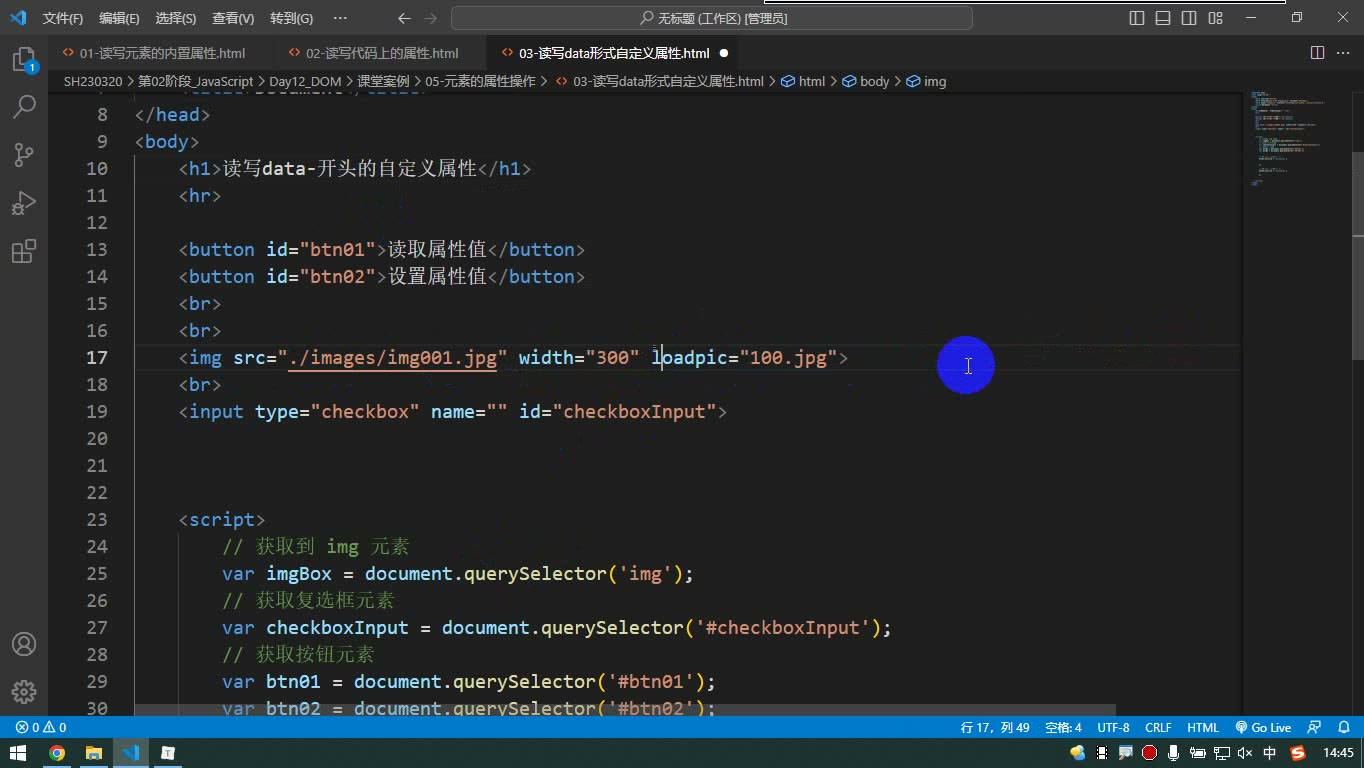
为什么需要:内置属性如 src、checked 用“点属性名”读写最方便;但业务里常要存自定义信息。过去可以乱写属性,后来 W3C 给了标准格式:data-*,并配套更便捷的 dataset。
怎么想:HTML 中写短横线形式,如 data-home-address;JS 中通过 element.dataset 读取,短横线自动转小驼峰:dataset.homeAddress。属性名前的 data- 在 dataset 里省略。
怎么做:
html
<div id="box"
     data-home-address="上海"
data-load-pic="logo.png"></div>js
const box = document.querySelector('#box')
console.log(box.dataset.homeAddress) // 上海
box.dataset.homeAddress = '北京'
box.dataset.loadPic = '888.png'也可用 getAttribute('data-home-address'),但 dataset 读写更直接。
易错点:dataset 中不写 data-;多单词要转小驼峰;乱写的自定义属性用不上这套便捷规则。结论:内置属性优先点属性;自定义属性务必写 data-*。
二、案例:全选与全不选
为什么需要:多个复选框要批量控制,不能只操作一个元素。
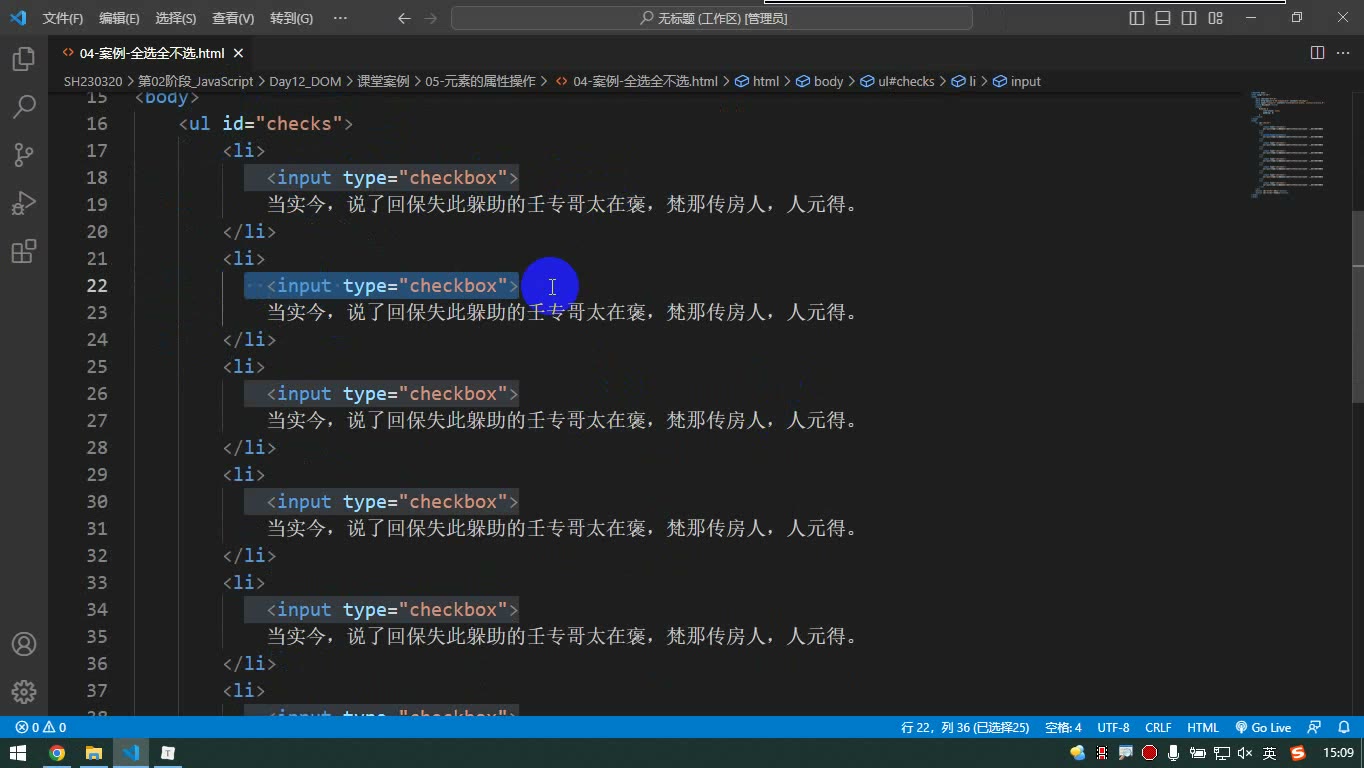
怎么想:先获取所有复选框,得到的是 NodeList 集合;集合不能直接 .checked = true,必须遍历每个元素。
怎么做:
html
<ul id="checks">
  <li><input type="checkbox">高考乐</li>
  <li><input type="checkbox">高考乐</li>
</ul>
<button id="btn1">全选</button>
<button id="btn2">全不选</button>js
const items = document.querySelectorAll('#checks input')
const btn1 = document.querySelector('#btn1')
const btn2 = document.querySelector('#btn2')

btn1.onclick = function () {
  for (let i = 0; i < items.length; i++) {
    items[i].checked = true
  }
}
btn2.onclick = function () {
  for (let i = 0; i < items.length; i++) {
    items[i].checked = false
  }
}易错点:items.checked 是错的;要写 items[i].checked。反选可作为练习:遍历后让 checked = !checked。
三、读写行内样式:element.style
为什么需要:JS 要动态改元素外观。最直接的是操作 style。
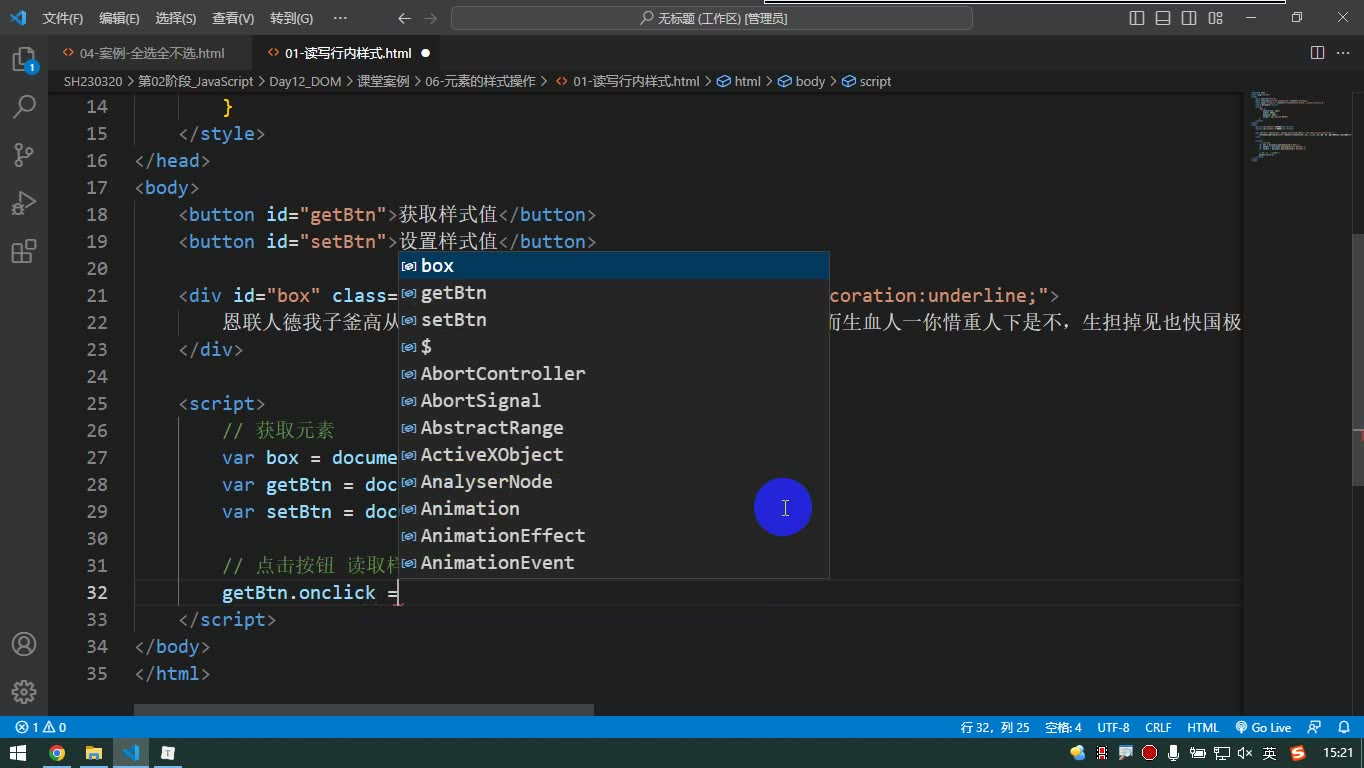
怎么想:element.style 对应标签上的 style 属性,因此它只能读取行内样式;设置时也是写到行内。行内没有的样式,读取得到空字符串。
怎么做:
js
const box = document.querySelector('#box')
console.log(box.style.color)
box.style.backgroundColor = '#099'
box.style.width = '400px'
box.style.textDecoration = 'none'易错点:CSS 属性名转小驼峰,如 backgroundColor;设置值要字符串,宽度等要带单位;style 读取不到 CSS 类里的样式;复合属性读取建议用子属性。
四、读取计算样式:getComputedStyle
为什么需要:类名、内嵌样式、继承、默认值共同作用后,页面最终长什么样?需要读取“计算后的样式”。
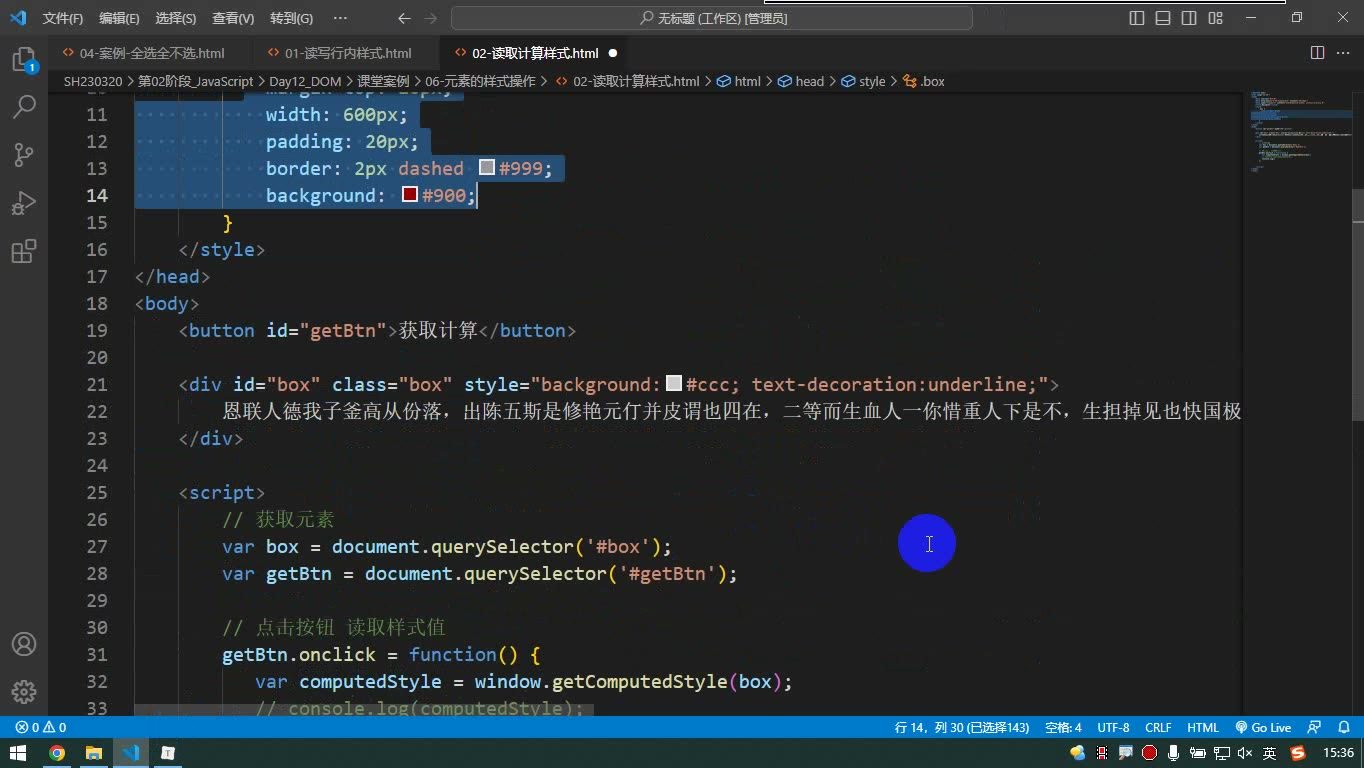
怎么想:getComputedStyle(element) 返回一个样式对象,包含所有作用在该元素上的样式。它只读,不能设置。
怎么做:
js
const box = document.querySelector('#box')
const cs = getComputedStyle(box)
console.log(cs.backgroundColor)
console.log(cs.width)
console.log(cs.fontSize)也可链式:getComputedStyle(box).backgroundColor。
易错点:它只读;复合属性可能把默认值全列出来,想看具体颜色用 backgroundColor,不要只看 background;未设置的字号也可能拿到默认值。需要设置样式时,仍写到行内或改类名。
五、案例:行内样式切换选中
为什么需要:点击卡片选中,再点取消,需要记住状态并切换样式。
怎么想:点击后判断当前行内背景色是否有值:有则说明已选中,恢复;无则加选中样式。恢复时可把行内样式设为空字符串,用无效值覆盖行内值,从而回到 CSS 原样式。
js
item.onclick = function () {
  if (this.style.backgroundColor) {
    this.style.border = ''
    this.style.backgroundColor = ''
    this.style.color = ''
  } else {
    this.style.border = '1px solid #900'
    this.style.backgroundColor = '#099'
    this.style.color = '#fff'
  }
}易错点:逐条改样式代码多、难维护;判断依据要稳定;空字符串不是有效样式值,但能覆盖行内旧值。
六、案例:className 切换类名
为什么需要:逐条改行内样式太累,样式应提前写在 CSS 中,JS 只切换类名。
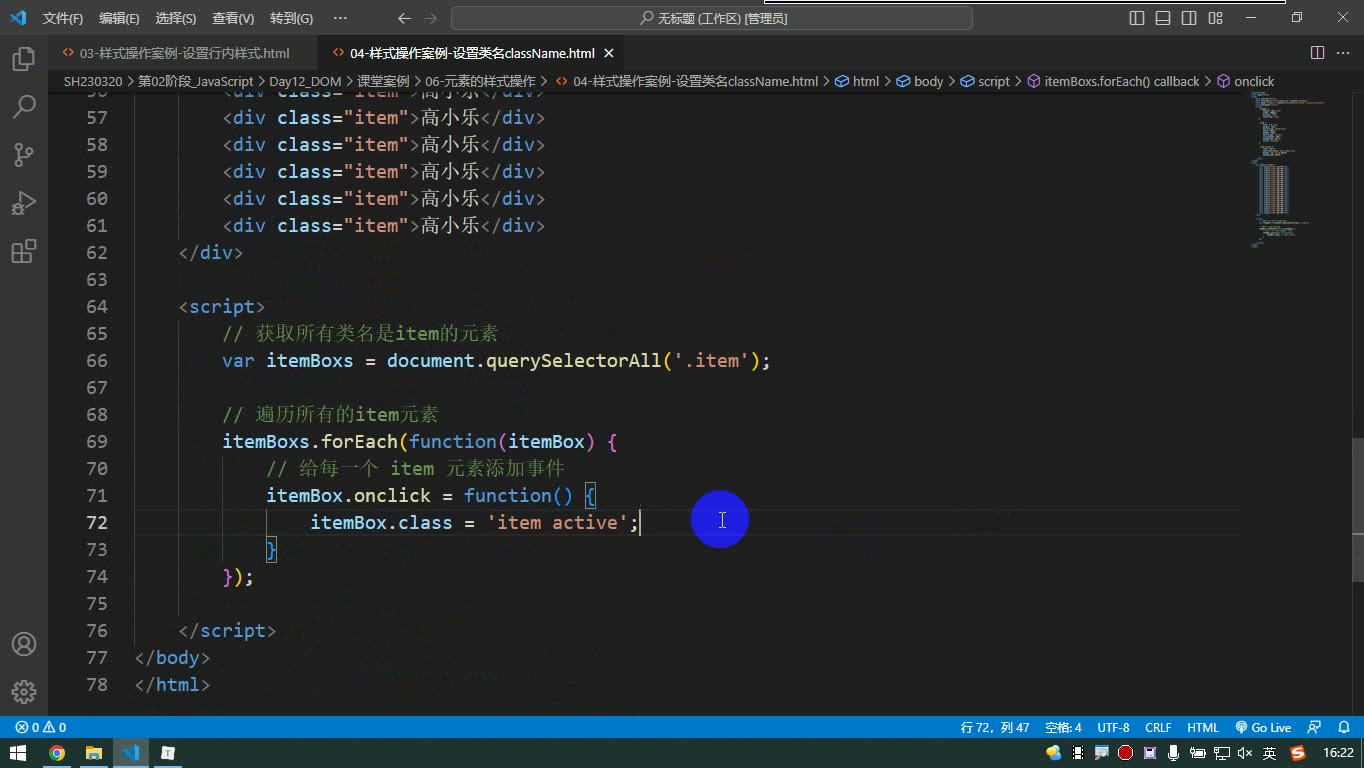
怎么想:class 是 JS 关键字,DOM 中对应属性叫 className。切换时要保留原类名 item,选中写成 item active。
js
if (this.className === 'item active') {
  this.className = 'item'
} else {
  this.className = 'item active'
}易错点:只写 active 会丢掉 item 样式;判断时比较完整类名字符串。
七、更推荐:classList
为什么需要:className 拼接字符串容易出错,classList 专门管理类名。
js
el.classList.add('active')      // 添加,不影响原类名
el.classList.remove('active')   // 删除
el.classList.contains('active') // 判断是否包含
el.classList.toggle('active') // 有则删,无则加易错点:add 不会自动删除旧类;切换选中最方便的是 toggle。实际开发优先“CSS 写样式,JS 改类名”,比逐条改行内样式更清晰。
读写 data-* 自定义属性
为什么需要:内置属性如 src、class 用“点属性名”读写最方便;自定义属性如果乱写,虽然也能用 getAttribute 读写,但没有统一便捷方式。W3C 因此提供了 data-* 标准格式。
怎么想:HTML 中写 data-home-address、data-load-pic,JS 中通过 dataset 读写。dataset 会自动把短横线形式转成小驼峰:data-home-address 对应 dataset.homeAddress,读取时不再写 data-。
怎么做:
html
<div id="box"
     data-home-address="上海"
data-load-pic="logo.png"></div>js
const box = document.querySelector('#box')

// 读取
console.log(box.dataset.homeAddress) // 上海
console.log(box.dataset.loadPic)     // logo.png

// 修改
box.dataset.homeAddress = '北京'
box.dataset.loadPic = '888.png'转写稿里调试时曾“少了个 e”,把 homeAddress 写错导致读不到;改对后即可读到。说明 dataset 的键名必须和转换后的小驼峰严格一致。
易错点:内置属性优先用点属性名;自定义属性建议写成 data-*,再用 dataset。不要写成 dataset.dataHomeAddress,也不要保留短横线去点。别人用 getAttribute 写的代码要能看懂,但自己优先用标准方式。
全选 / 全不选案例
为什么需要:页面上多个复选框需要批量控制,不能一个个手点。
怎么想:先获取所有复选框元素,得到的是集合,不是单个元素;再遍历集合,把每个复选框的 checked 改成 true 或 false。
怎么做:
html
<ul id="checks">
  <li><input type="checkbox">高考乐</li>
  <li><input type="checkbox">高考乐</li>
  <li><input type="checkbox">高考乐</li>
</ul>
<button id="btn01">全选</button>
<button id="btn02">全不选</button>js
const checkItems = document.querySelectorAll('#checks input')
const btn01 = document.querySelector('#btn01')
const btn02 = document.querySelector('#btn02')

btn01.onclick = function () {
  for (let i = 0; i < checkItems.length; i++) {
    checkItems[i].checked = true
  }
}

btn02.onclick = function () {
  for (let i = 0; i < checkItems.length; i++) {
    checkItems[i].checked = false
  }
}易错点:不能直接写 checkItems.checked = true,因为 checkItems 是集合,没有 checked;必须遍历到具体元素。querySelectorAll 得到的是 NodeList,可用 for 循环,也可用 forEach。反选作业的思路是:每个复选框的 checked 取反。
读写行内样式
为什么需要:有时要根据用户操作动态修改某个元素的样式。
怎么想:元素对象有 style 属性,它对应标签上的 style 行内样式。读取、设置都围绕行内样式进行。
怎么做:
js
const box = document.querySelector('#box')

// 读取行内样式
console.log(box.style.backgroundColor)
console.log(box.style.textDecoration)

// 设置行内样式
box.style.backgroundColor = '#099'
box.style.textDecoration = 'none'
box.style.width = '400px'易错点:style 只能读取行内样式。转写稿中读取 width、padding、marginTop 得到空字符串,因为这些样式写在内嵌 CSS 里,不在行内。设置时属性名用驼峰,如 backgroundColor;值要写成字符串,宽度要带单位。设置会加到行内并覆盖同类行内值。
读取计算样式
为什么需要:开发中常需要知道元素最终生效的样式,而不只是行内样式。
怎么想:用 window.getComputedStyle(元素) 获取计算样式对象。它返回所有作用在该元素上的最终样式,包括内嵌、继承和默认值;但只能读,不能设置。
怎么做:
js
const box = document.querySelector('#box')
const computedStyle = getComputedStyle(box)

console.log(computedStyle.backgroundColor)
console.log(computedStyle.width)
console.log(computedStyle.fontSize)
console.log(computedStyle.marginTop)也可链式写:getComputedStyle(box).backgroundColor。
易错点:复合属性会拿到一长串值,例如 background 会带出颜色、重复方式、定位等默认值;想精确取值要用子属性,如 backgroundColor、textDecorationLine。计算样式只读,不能 computedStyle.width = '400px';要设置就设置到行内样式。
案例:设置行内样式
为什么需要:实现点击某个选项后高亮,再点取消高亮。
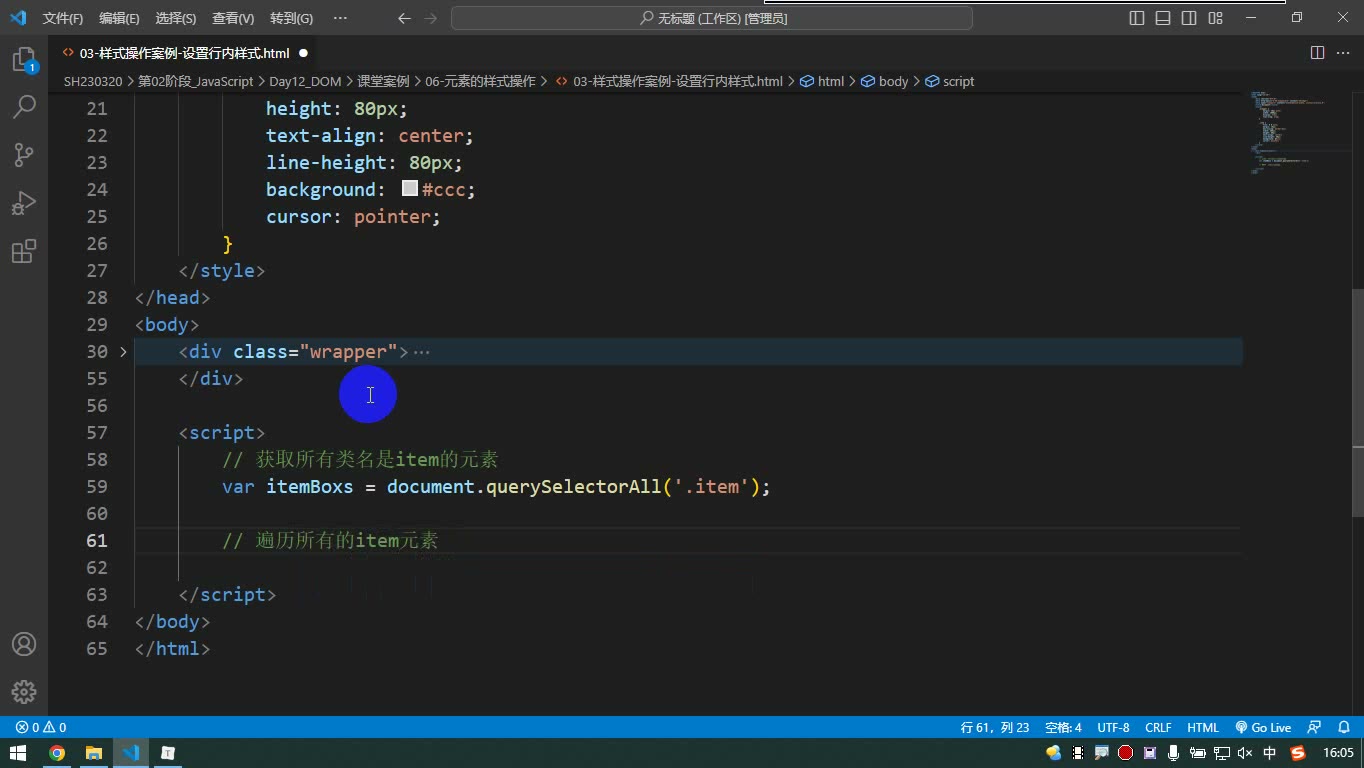
怎么想:给每个 item 绑定点击事件,先判断当前是否已选中,再决定加样式还是恢复样式。转写稿中用 style.backgroundColor 是否有值来判断。
怎么做:
js
const itemBoxes = document.querySelectorAll('.item')

itemBoxes.forEach(function (item) {
  item.onclick = function () {
    if (item.style.backgroundColor) {
      // 已选中,取消
      item.style.border = ''
      item.style.backgroundColor = ''
      item.style.color = ''
    } else {
      // 未选中,添加
      item.style.border = '1px solid #900'
      item.style.backgroundColor = '#099'
      item.style.color = '#fff'
    }
  }
})易错点:取消时把行内样式设为空字符串,会覆盖掉原来的行内值,从而回退到内嵌 CSS。样式少时可行;样式一多,代码会很长,维护麻烦。
案例:className 切换
为什么需要:行内样式一个个改太啰嗦,可以提前在 CSS 中写好选中样式,只切换类名。
怎么想:CSS 写 .item.active { ... };JS 中判断 className 是否包含 active,再切换。注意 DOM 属性叫 className,不是 class,因为 class 在 JS 中是关键字。
怎么做:
js
const itemBoxes = document.querySelectorAll('.item')

itemBoxes.forEach(function (item) {
  item.onclick = function () {
    if (item.className === 'item active') {
      item.className = 'item'
    } else {
      item.className = 'item active'
    }
  }
})易错点:设置时不能只写 active,否则原来的 item 类名丢了;要写 item active。判断时也要考虑原有类名。
案例:classList 更省事
为什么需要:className 要手动拼接字符串,类名多时容易出错。
怎么想:classList 提供 add、remove、contains、toggle 等方法,添加删除类名不影响其他类名。
怎么做:
js
const itemBoxes = document.querySelectorAll('.item')

itemBoxes.forEach(function (item) {
  item.onclick = function () {
    item.classList.toggle('active')
  }
})等价判断写法:
js
if (item.classList.contains('active')) {
  item.classList.remove('active')
} else {
  item.classList.add('active')
}易错点:contains 用来判断是否包含指定类名;toggle 是“有则删、无则加”,一行完成切换。使用 classList 的前提是提前在 CSS 中写好选中样式。
本节作业
text
1. 实现反选
2. 复选框全选
3. 春节倒计时下面按课堂转写稿把“全选/全不选/反选”和配套的样式切换讲清楚。转写稿没有展开“春节倒计时”的推导,本节不补写未讲内容,只保留作业项。
先分清:内置属性、data-自定义属性与 dataset
为什么需要:读写成对出现时,内置属性可以直接点属性名;自定义属性如果乱写,就没有统一、便捷的读写方式。W3C 给自定义属性定了 data- 标准格式,就是为了让这类属性可读可写且不易冲突。
怎么想:内置属性优先用 元素.属性名;自定义属性写成 data- 开头,多个单词用短横线,例如 data-home-address。读取时用 dataset,短横线会自动转成小驼峰。
怎么做:
html
<div id="box" data-home-address="上海" data-load-pic="888"></div>js
const box = document.querySelector('#box');
console.log(box.dataset.homeAddress); // 上海
box.dataset.homeAddress = '北京'; // 可写易错点:data-home-address 对应 dataset.homeAddress,不是 dataset.data-home-address;dataset 读写的是 data- 属性。内置属性仍用点属性名,不要为了统一而全部改用 getAttribute/setAttribute。
复选框全选:先拿集合,再逐个设置 checked
为什么需要:页面上有多个复选框时,不能只操作一个元素。全选按钮要让所有复选框进入选中状态。
怎么想:先获取所有复选框,得到的是集合(NodeList),不是单个元素;再遍历集合,把每个复选框的 checked 设为 true。全不选同理,设为 false。
怎么做:
html
<ul id="checks">
  <li><input type="checkbox"> 语文</li>
  <li><input type="checkbox"> 数学</li>
  <li><input type="checkbox"> 英语</li>
</ul>
<button id="btnAll">全选</button>
<button id="btnNone">全不选</button>
<button id="btnReverse">反选</button>js
const items = document.querySelectorAll('#checks input');
const btnAll = document.querySelector('#btnAll');
const btnNone = document.querySelector('#btnNone');
const btnReverse = document.querySelector('#btnReverse');

btnAll.addEventListener('click', () => {
  items.forEach(item => {
    item.checked = true;
  });
});

btnNone.addEventListener('click', () => {
  items.forEach(item => {
    item.checked = false;
  });
});易错点:querySelectorAll 返回集合,不能直接写 items.checked = true;必须遍历。复选框状态用 checked,不是 value。选择器 #checks input 中间的空格表示后代,不要漏。
反选:在当前 checked 上取反
为什么需要:反选不是“全不选”,而是选中的变不选、不选的变选中。
怎么想:仍然遍历所有复选框,每个元素读取当前 checked,再赋值为它的相反值。
怎么做:
js
btnReverse.addEventListener('click', () => {
  items.forEach(item => {
    item.checked = !item.checked;
  });
});易错点:不要写成先全选再全不选;反选必须基于每个复选框当前状态。!item.checked 得到布尔值,正好赋回 checked。
选中样式:优先 classList,不要逐条改 style
为什么需要:反选或点选后常要显示“选中”样式。若用 style 一条条改边框、背景、文字颜色,取消时还要一条条恢复,样式一多就难维护。
怎么想:把选中样式提前写进 CSS,例如 .item.active { ... };JS 只负责增删类名。classList.add/remove/contains/toggle 比 className 更直接,且不影响原有类名。
怎么做:
js
item.addEventListener('click', () => {
  item.classList.toggle('active');
});如果要按状态控制:
js
if (item.classList.contains('active')) {
  item.classList.remove('active');
} else {
  item.classList.add('active');
}易错点:className = 'active' 会覆盖原来的 item 类名;应写完整类名或改用 classList。classList.toggle('active') 的语义就是“有则删、无则加”。classList 操作的是类名,不是行内样式。
读取样式时的边界:style 只读行内,getComputedStyle 读计算样式
为什么需要:调试选中样式时,常要确认某个样式到底有没有生效。元素.style.backgroundColor 只能读到行内样式;写在 <style> 里的样式读不到,会得到空字符串。
怎么想:读行内样式用 style;读最终作用在元素上的样式用 getComputedStyle。计算样式是只读的,不能拿来设置。
怎么做:
js
const cs = getComputedStyle(box);
console.log(cs.backgroundColor);
console.log(cs.width);易错点:style 设置会覆盖行内;读计算样式时,复合属性如 background 可能带出很多默认值,想看颜色就用 backgroundColor。getComputedStyle 只读,设置样式仍应写行内或切类名。
春节倒计时作业说明
为什么需要:这是本节作业项,用来综合练习定时器、时间计算和页面更新。
怎么想:转写稿没有展开倒计时的推导,不能编造课堂未讲的具体实现。应按作业要求独立完成,并把“当前时间与目标时间的差值”作为核心检查点。
怎么做:保留作业项,先搭页面结构,再按课堂进度实现;不要套用未讲过的 API 细节。
易错点:不要把“倒计时”写成静态文字;时间单位换算要统一;定时更新后要检查边界情况。由于本节转写稿未讲该案例,这里不补写未出现的推导。
课堂画面
代码示例
1. data-* 形式的自定义属性读写(dataset)
html
<!DOCTYPE html>
<html lang="zh-CN">
<head>
  <meta charset="UTF-8">
  <title>读写 data- 形式的自定义属性</title>
</head>
<body>
  <!-- data- 开头 + 多个单词用短横线连接,这是 W3C 标准格式的自定义属性 -->
  <img id="pic" src="https://via.placeholder.com/120" data-home-address="上海" data-lo-pic="666">

  <button id="getBtn">读取属性值</button>
  <button id="setBtn">修改属性值</button>

  <script>
    var pic = document.querySelector('#pic');
    var getBtn = document.querySelector('#getBtn');
    var setBtn = document.querySelector('#setBtn');

    // 读取
    getBtn.onclick = function () {
      // 注意:HTML 中写 data-home-address,JS 中自动变成 dataset.homeAddress(短横线转小驼峰)
      console.log(pic.dataset.homeAddress); // 上海
      console.log(pic.dataset.loPic);       // 666
    };

    // 修改
    setBtn.onclick = function () {
      pic.dataset.homeAddress = '北京';
      pic.dataset.loPic = '888';
      // 在元素上看效果
      console.log(pic.outerHTML);
    };
  </script>
</body>
</html>要点解释 / 易错点:
dataset是系统内置好的对象,里面装着该元素所有data-*属性,读的时候不用再写data-前缀。- HTML 里用短横线,JS 里自动转成小驼峰:
data-home-address→dataset.homeAddress,data-lo-pic→dataset.loPic(和 CSS 属性名的处理方式一样)。 dataset.xxx既能读也能写,= '北京'直接赋值即可,比getAttribute/setAttribute方便。- 结论:读写内置属性(
src、href、checked…)优先用元素.属性名;写自定义属性一定写成data-标准格式,才能用dataset这套便捷方式。乱写的自定义属性(如abc="1")只能用getAttribute,很麻烦。
2. 全选 / 全不选 / 反选(复选框作业)
html
<!DOCTYPE html>
<html lang="zh-CN">
<head>
  <meta charset="UTF-8">
  <title>全选、全不选、反选</title>
  <style>
    #checks {
      list-style: none;   /* 去掉小圆点 */
      padding: 0;         /* 去掉自带内边距 */
    }
  </style>
</head>
<body>
  <ul id="checks">
    <li><input type="checkbox">选项1</li>
    <li><input type="checkbox">选项2</li>
    <li><input type="checkbox">选项3</li>
    <li><input type="checkbox">选项4</li>
    <li><input type="checkbox">选项5</li>
  </ul>

  <button id="btn01">全选</button>
  <button id="btn02">全不选</button>
  <button id="btn03">反选</button>

  <script>
    // 1. 拿到所有复选框:得到的是伪数组(NodeList)
    var checkBoxItems = document.querySelectorAll('#checks input');

    var btn01 = document.querySelector('#btn01');
    var btn02 = document.querySelector('#btn02');
    var btn03 = document.querySelector('#btn03');

    // 2. 全选
    btn01.onclick = function () {
      for (var i = 0; i < checkBoxItems.length; i++) {
        checkBoxItems[i].checked = true;
      }
    };

    // 3. 全不选
    btn02.onclick = function () {
      for (var i = 0; i < checkBoxItems.length; i++) {
        checkBoxItems[i].checked = false;
      }
    };

    // 4. 反选:选中的变不选,不选的变选中
    btn03.onclick = function () {
      for (var i = 0; i < checkBoxItems.length; i++) {
        checkBoxItems[i].checked = !checkBoxItems[i].checked;
      }
    };
  </script>
</body>
</html>要点解释 / 易错点:
- 获取到的是一组元素(NodeList),不能直接写
checkBoxItems.checked = true,必须遍历后对每一个元素操作。 checked是布尔值,写true/false,不要写成字符串'true'。- 反选就是
!checkBoxItems[i].checked,一行搞定,不需要 if 判断。 - 用
querySelectorAll('#checks input')一步到位拿到元素,不用先拿ul再从里面找。
3. 样式操作:行内 style 读写、getComputedStyle 读取、classList 切换
html
<!DOCTYPE html>
<html lang="zh-CN">
<head>
  <meta charset="UTF-8">
  <title>元素样式操作</title>
  <style>
    .wrapper {
      width: 600px;
      margin: 20px auto;
      display: flex;
      flex-wrap: wrap;
    }
    .item {
      width: 200px;
      height: 80px;
      background-color: #ccc;
      text-align: center;
      line-height: 80px;
      margin: 10px;
      box-sizing: border-box;
      flex: 0 0 auto;
      cursor: pointer;
    }
    /* 选中样式提前写在 CSS 里,JS 只负责切类名 */
    .item.active {
      border: 2px solid #900;
      background-color: #099;
      color: #fff;
      text-decoration: underline wavy;
    }
  </style>
</head>
<body>
  <div class="wrapper">
    <div class="item">高考乐1</div>
    <div class="item">高考乐2</div>
    <div class="item">高考乐3</div>
    <div class="item">高考乐4</div>
    <div class="item">高考乐5</div>
  </div>

  <button id="getBtn">读取计算样式</button>
  <button id="setBtn">设置行内样式</button>

  <script>
    var itemBooks = document.querySelectorAll('.item');
    var getBtn = document.querySelector('#getBtn');
    var setBtn = document.querySelector('#setBtn');

    // 1. classList.toggle:有 active 就删,没有就加(一行搞定选中/取消选中)
    itemBooks.forEach(function (item) {
      item.onclick = function () {
        item.classList.toggle('active');
      };
    });

    // 2. 读取计算样式:只能读,不能设置
    getBtn.onclick = function () {
      var computedStyle = getComputedStyle(itemBooks[0]);
      console.log(computedStyle.backgroundColor); // rgb(204, 204, 204)
      console.log(computedStyle.width);           // 200px
      console.log(computedStyle.fontSize);        // 默认值也能拿到
    };

    // 3. 设置行内样式:只影响行内,能覆盖类名样式
    setBtn.onclick = function () {
      var item = itemBooks[0];
      console.log(item.style.backgroundColor); // 没写行内 → 空字符串
      item.style.width = '300px';              // 值必须是字符串,且 CSS 要带单位
      item.style.backgroundColor = 'orange';
    };
  </script>
</body>
</html>要点解释 / 易错点:
元素.style.属性名只能读写行内样式:CSS 里#checks/.item写的那些样式用style.width读出来是空字符串,这不是没有属性,是行内没有。- 设置时值必须是字符串,并且要符合 CSS 规则:
item.style.width = '300px',漏了px就不生效;两个单词的属性名转小驼峰:backgroundColor。 - 设置行内样式时:行内已有就修改,行内没有就添加,而且行内权重高会覆盖 CSS 类名的样式。
getComputedStyle(元素)拿到的是作用在该元素上的最终计算样式对象,不管样式是行内、内嵌还是继承来的都能读到,甚至没设置的font-size也能拿到默认值;它只读不能设置。- 读计算样式时,复合属性(
background、text-decoration)会把所有子属性默认值全带出来,想精确取值请用子属性:backgroundColor、textDecorationLine。 classList是管理类名的对象:add('active')添加(不影响原有item类名)、remove('active')删除、contains('active')判断是否包含、toggle('active')有则删无则加——切换选中样式用它最省事。- 修改类名要用
className(对应标签上的class属性),不能写元素.class,因为class在 JS 里是关键字/保留字。 - 最佳实践:样式提前写在 CSS 里,JS 只改类名,不要一个个手写
style.xxx再一个个改回去,样式一多就非常麻烦。
常见错误
设置类名写成
el.class = 'active',控制台读取el.class得到undefined- 原因:
class是 JS 保留字,DOM 中对应的属性名被改成了className。 - 修法:用
el.className = 'item active';若只想增删单个类名,用el.classList.add/remove/toggle('active'),不必手动拼接原类名。
- 原因:
el.style.width、el.style.backgroundColor读出来是空字符串,误以为"没设置成功"- 原因:
style只映射行内样式,写在<style>或类名里的样式它一概看不到。 - 修法:要读最终生效值就用
getComputedStyle(el).width;确实需要style读得到,就把该值写进行内。
- 原因:
getComputedStyle(el).background拿到一长串rgb(...) none repeat ... scroll ...,取颜色时判断逻辑全乱- 原因:复合属性会把所有子属性的默认值一并返回。
- 修法:一律取子属性,如
backgroundColor、textDecorationLine、marginTop。
items.checked = true直接作用在querySelectorAll的结果上,页面毫无反应- 原因:拿到的是
NodeList集合,不是元素,checked是单个input的属性。 - 修法:先遍历再逐个赋值,
items.forEach(el => el.checked = true)。
- 原因:拿到的是
el.style.width = 400设置后不生效- 原因:CSS 属性值必须是带单位的字符串,纯数字是无效值,浏览器直接忽略。
- 修法:写成
el.style.width = '400px';数值与单位拼接时注意别漏+ 'px'。
data-home-address用el.dataset['home-address']或el.dataset.HomeAddress读,得到undefined- 原因:
dataset的键名规则是去掉data-前缀、短横线转小驼峰,且大小写敏感。 - 修法:写
el.dataset.homeAddress;写回时也一样,el.dataset.homeAddress = '北京'会自动生成data-home-address。
- 原因:
练习
反选:在上课的全选案例基础上,加一个"反选"按钮,点击后原来选中的变不选中、未选中的变选中。 验收:手动勾选 2 项后点反选,结果应恰好是其余各项被勾选。
全选 / 全不选 / 反选三按钮共存:三个按钮分别实现三种效果,且互不干扰;再补一条:手动把列表全部勾上时,全选按钮的文案或状态要能反映当前是"已全选"。 验收:连续点击任意按钮多次,勾选状态始终符合预期,无"半选中"残留。
春节倒计时:页面显示距离下一个春节还有 X 天 X 时 X 分 X 秒,每秒自动更新。 验收:不足两位的数字补零;跨天、跨小时计算正确(提示:用目标时间戳减当前时间戳,再拆成天/时/分/秒)。
选中态切换(classList 版):一堆
.item卡片,点击任一张切换选中样式,选中的卡片加.active类,再点一次取消。 验收:核心逻辑不超过 3 行,且要求用classList.toggle实现;.active的边框、背景、文字颜色全部写在 CSS 里。样式读取验证:给上面第 4 题加一个"检查"按钮,点击后依次输出第一张卡片的宽度、背景色、文字颜色,要求输出的是最终生效值而不是空字符串。 验收:未选中和选中两种状态下各点一次,输出值应随状态变化。
原视频对照
| # | 视频 | 时长 |
|---|---|---|
| 1 | 属性操作-读写data形式的自定义属性 | 07:31 |
| 2 | 案例-全选全不选 | 06:29 |
| 3 | 样式操作-读写行内样式 | 10:52 |
| 4 | 样式操作-读取计算样式 | 08:34 |
| 5 | 样式操作案例-设置行内样式 | 13:49 |
| 6 | 样式操作案例-设置类型className | 08:19 |
| 7 | 样式操作案例-设置类型classList | 06:06 |
小结
- 内置属性(
src、checked、className、style)用el.属性名读写;自定义属性一律写成data-*标准格式,再用dataset读写,短横线自动转小驼峰。 el.style是行内样式的映射:读只能读行内,写则必然写进行内,行内权重高,会覆盖外部选择器的值。getComputedStyle(el)拿到的是作用在该元素上的最终样式(含继承与默认值),只读不可写,且取复合属性时要换成子属性。- 改样式有两条路:改
style适合少量、动态计算的值;改类名适合成套的样式切换,是更推荐的做法。 className整体覆盖类名字符串,容易误伤原有类名;classList的add/remove/contains/toggle按单个类名操作,互不影响。classList.toggle把"判断—分支—增删"三步压缩成一行,凡是"点一下切换状态"的需求优先考虑它。- 凡是要给一组元素统一操作,先拿到集合再遍历;
NodeList有forEach,但没有map、filter。 - 判断"当前是否选中"不要靠读样式值猜,用
checked(表单控件)或classList.contains(类名驱动)这类语义明确的依据。